
Changing fifty items one at a time drains an afternoon — so it gets put off and your records drift. Bulk actions select a whole batch and apply one action to all of them at once.
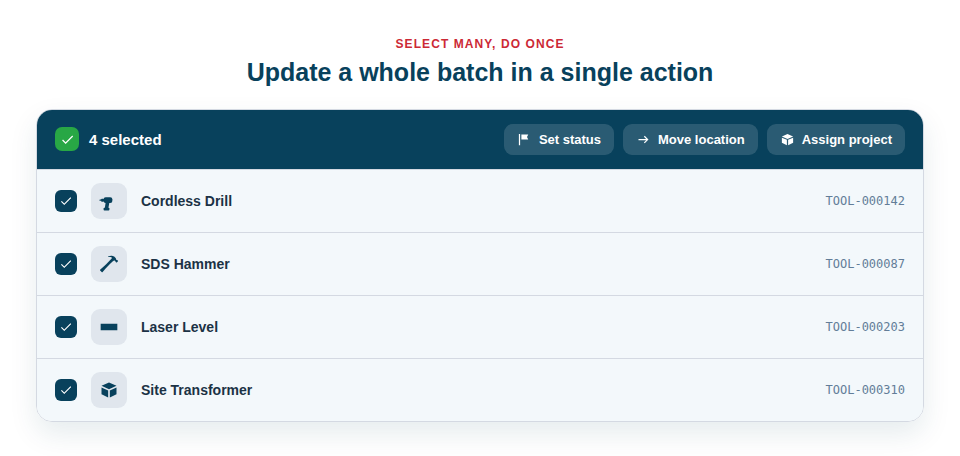
Handle the many like the one
The strength of bulk actions is that they cover the operations you most often need to repeat:
- Select broadly or precisely — tick everything, or hand-pick a batch.
- Act once on the whole set — add them all to a list, move them to a folder, queue them for label printing, or export them together.
- Edit field values across the batch — change status, type, category, location, project, assignments or your own custom fields on every selected asset in one pass, with a clear “this is what will change” review before anything is saved.
- Save real time during setup, reorganisations and any job that touches a lot of items at once.
Edit a hundred records as easily as one
The Bulk Edit tool is where this really earns its keep. When a batch of hire kit comes back, mark them all “Available” at once. Moved a workshop? Set the new location on everything in a single step. Kicking off a job? Assign all its equipment to the project together. You pick exactly which fields to change — everything else is left untouched — confirm a plain-English summary of what’s about to happen, and apply. Every change is written to each asset’s activity history, so there’s always a record of what changed and who changed it.
Most powerful in combination with filters
Bulk actions become genuinely transformative when paired with filtering. Because you can first narrow the inventory to exactly the items you want — using any combination of type, location, status or custom-field filters — and then select them all, you can target a very specific set with surgical precision. For example:
- Filter to every tool that doesn’t yet have a QR label.
- Select the whole filtered set.
- Queue them all for printing in one action, then print a full sheet of labels.
The same pattern works for moving a site’s worth of kit to a new location, adding a job’s equipment to a list, or exporting a filtered selection for a report. The filter defines the “who”, and the bulk action does the “what” — to all of them at once.
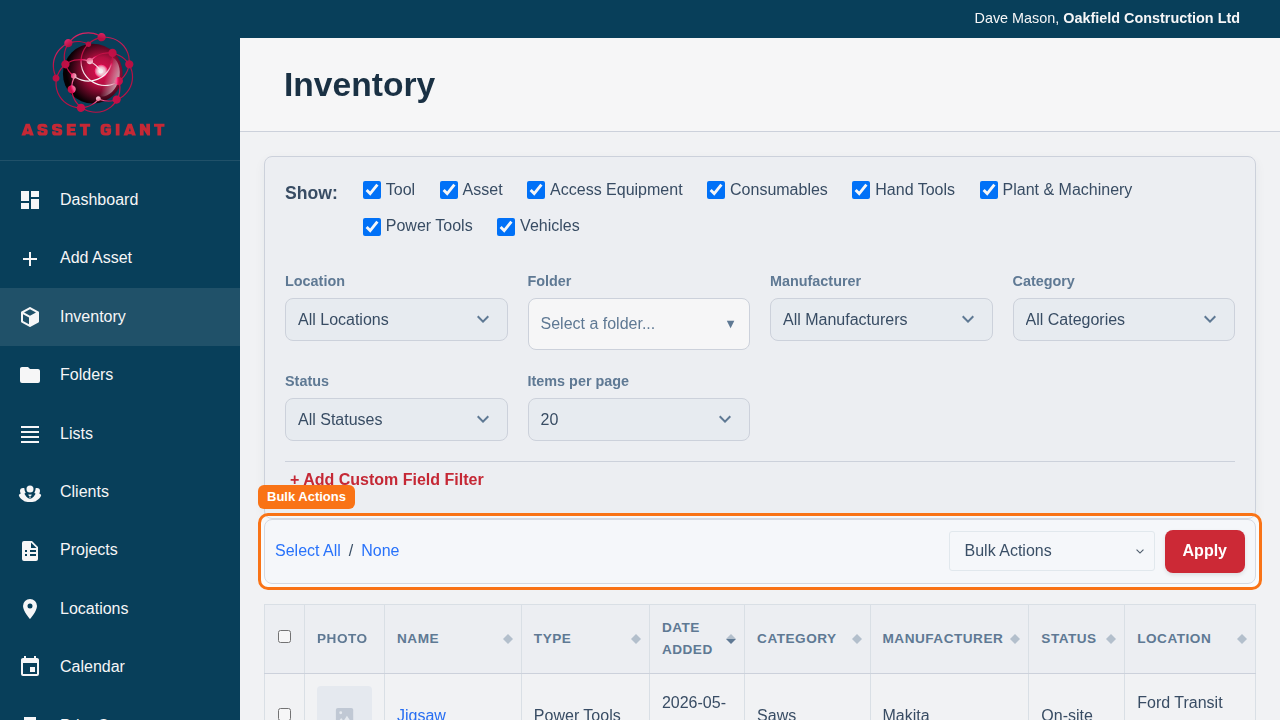
Best Practice: Always filter first, then select all. It’s faster and far less error-prone than scrolling a long list and ticking items by hand, and it makes sure you catch every matching asset.
For the full guide, see Edit, Move or Delete Many Assets at Once.