

Asset tracking only stays accurate when the people who move the tools are the ones who update the records. Bring the whole team in — and decide who can run the system versus who simply uses it — and the inventory keeps itself honest.
Everyone on the same page
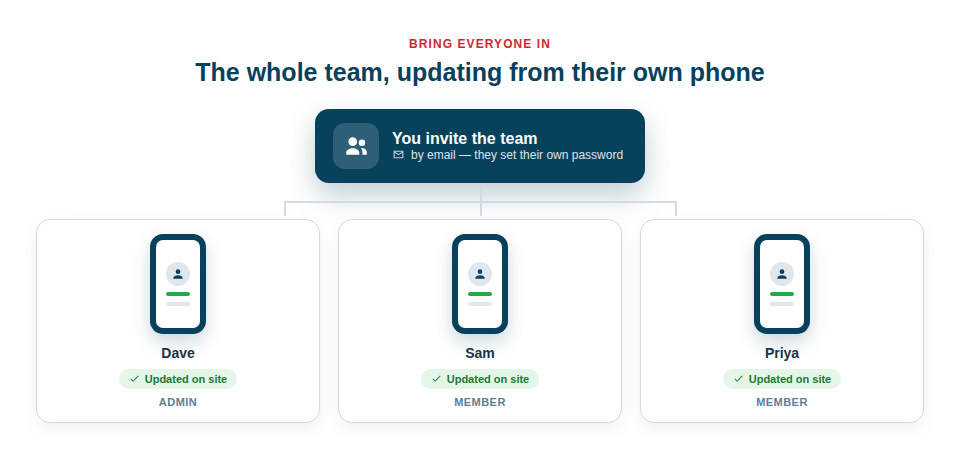
When one person back at the office records every movement, they’re always working from second-hand information and the records lag behind reality. Give everyone their own access and the person holding the tool records where it’s gone, the moment it goes:
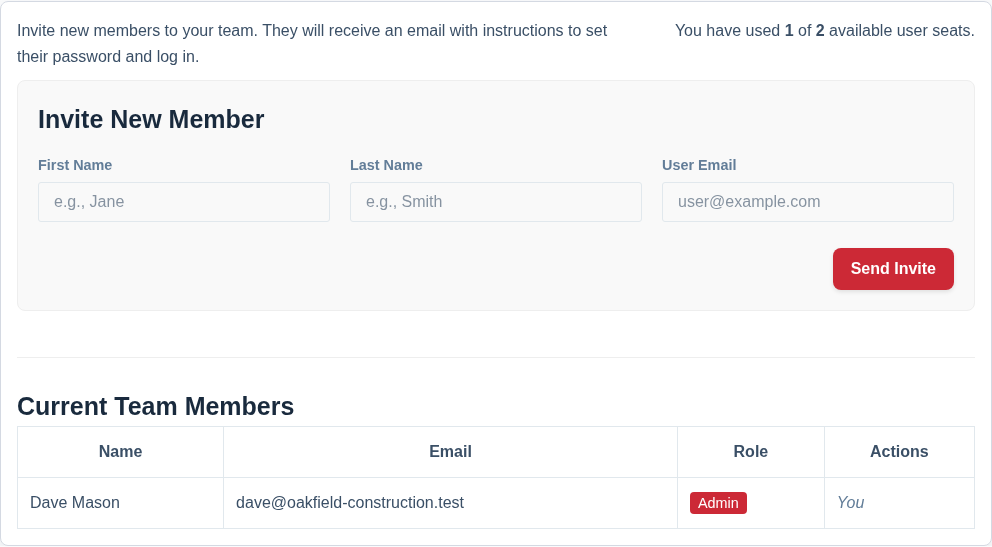
- Invite by email. Send an invitation and your colleague sets their own password and signs in — no account admin for you to manage.
- Updates from the field. The person with the tool records the move there and then, from their own phone, so the record matches reality.
- Always current. Everyone contributes little and often, so the inventory reflects what’s actually happening rather than a weekly catch-up.
New starters are productive almost immediately, because the scanner and the mobile views need no real training. Your plan sets how many users are included, and when you need one more person than that you add a single extra user from Settings → Team rather than moving the whole team up a tier. They can be invited immediately; you pay only for the days left in your current billing period, your renewal date stays where it is, and from then on the extra user is part of the same single payment.
Five roles, from full control to look-but-don’t-touch
Opening a business system to everyone raises an obvious worry: you want the whole crew scanning and updating assets, but not everyone able to delete records, change company settings, remove people or see the billing. Roles draw that line for you, so you can give everyone access without exposing your setup, your records or your subscription.
- Viewer is completely read-only. They see the inventory and change nothing — the role for a client, an insurer or an accountant who needs visibility without access.
- Scanner is for the labourer, the apprentice in their first week, the subcontractor on site for a fortnight. They scan kit in and out, run stocktakes, bond QR stickers and flag faults — and they cannot add, edit or delete a thing. Hand it out on day one with no training and no risk.
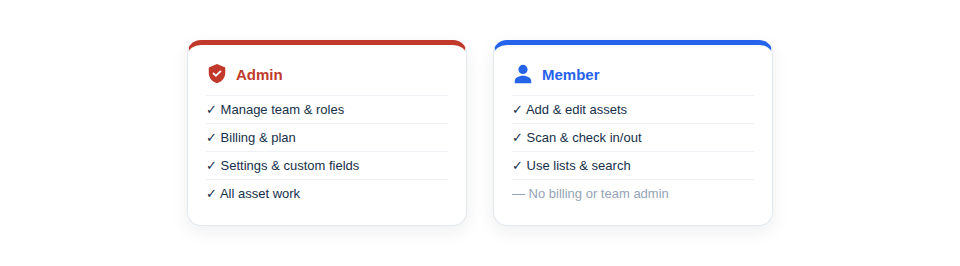
- Members get on with the real work — add, edit, scan and find assets, book kit, run checklists and stocktakes, print labels, use everything needed on site.
- Admins do all of that plus the running of it: deleting records, company settings, and managing the team. These are the people running the operation.
- The Owner is the account holder, set automatically when you sign up. They can do everything, including billing, and they can’t be removed or demoted by anyone.
Safe to roll out widely
The reason businesses hesitate to give everyone access is the fear of what a well-meaning colleague might do by accident. Roles remove it. A Member cannot delete a single record — not an asset, not a client, not a whole folder of kit — and cannot reach your configuration or your subscription. A Scanner cannot even change an asset’s details. A mis-tap can’t cost you your inventory.
And this is enforced on our servers, not merely hidden in the app. A control a role can’t use isn’t shown — but if the request is made anyway, it is refused. That distinction matters: plenty of systems only grey out the button.
Nor can a company strand itself: the Owner can’t be removed, and no change is allowed that would leave nobody able to manage the team — so there is always somebody able to administer the account. The Owner counts towards that, so you never need a second Admin just to satisfy the rule.
Assigning a role is part of bringing someone on board — you pick it as you send the invitation, and you can change it later in a couple of taps if their responsibilities grow.
Best Practice: Keep the number of Admins small — the owner and perhaps one or two trusted managers. Make your regular tradespeople Members, and start new arrivals and subcontractors as Scanners; promoting them later takes two taps. And bring the team in early rather than perfecting the inventory first; the sooner everyone is recording from their own phone, the sooner the records stay accurate by themselves.
For the full guide, see Inviting Your First Team Member and Managing Your Team Members and Roles. For roles explained in detail, see User Roles: Owner, Admin, Member, Scanner and Viewer.