
“The yellow drill” works until there are three of them and the wrong tool gets booked out. Asset Giant gives every item a short, unique, human-friendly ID automatically — something like TOOL000001 — the moment it’s created, giving your team a precise shared language with no effort and no clashes.
IDs that do the work for you
The point of these identifiers is that you never have to think about them, yet they’re always reliable:
- Automatic — you never invent a number or check whether one is already taken; the system handles it.
- Sequential and unique — no two assets in your company can share an ID, so a reference always points to exactly one item.
- In your own format — you choose the prefix and numbering for each type of asset, so tools, plant and vehicles each read in a way that makes immediate sense.
Robust behind the scenes, recognisable on the surface
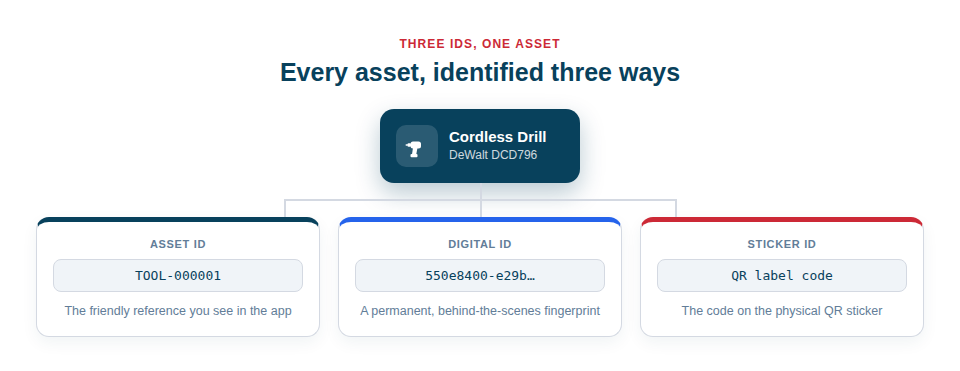
What you see is the friendly ID, but each asset actually carries three linked identifiers, each with a job to do. The human-readable Asset ID is the one you use and display. A permanent digital ID sits behind it and never changes for the life of the asset, which keeps links and records stable. And the code on the physical QR sticker ties the digital record to the real-world item, so tracking stays accurate even if a label is damaged and replaced.
You stay in control of how the visible IDs look:
- Define a prefix and starting number for each asset type in your preferences — for example, TOOL for hand tools and PLANT for machinery.
- Add assets as normal; each one is stamped with the next ID in its type’s sequence automatically.
- Print the ID onto labels alongside the QR code, so the physical item and its record always agree.
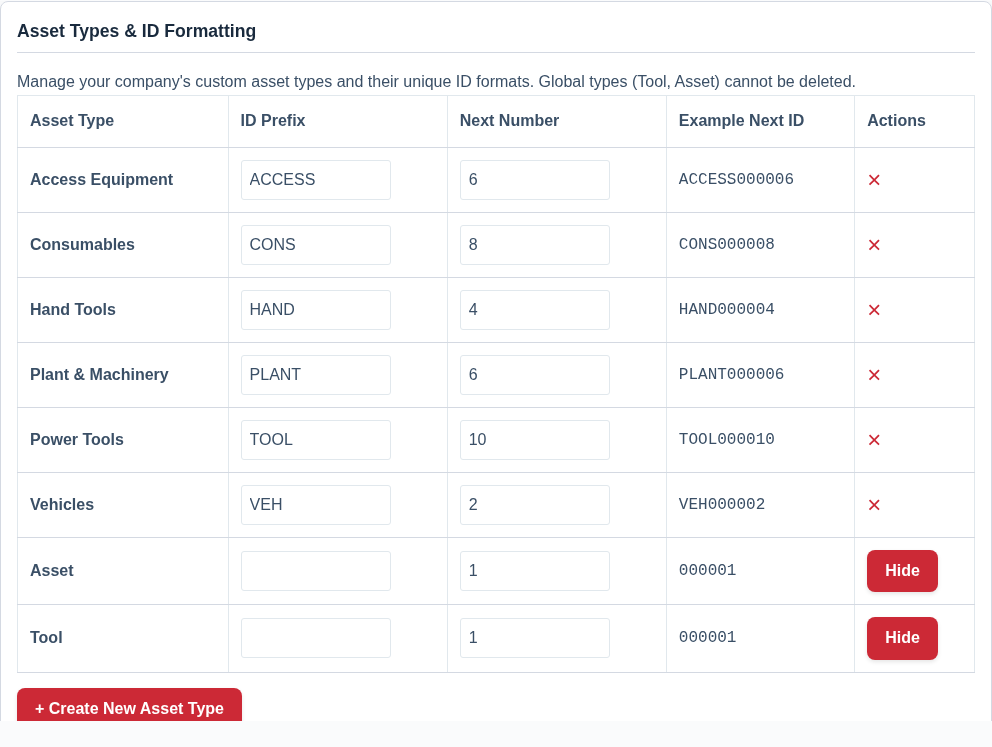
Best Practice: If you’re moving over from an existing numbering system, set each type’s starting number to continue where your old records left off, so there’s no clash and no confusing reset.
To understand the system fully, see What Is an Asset ID? Numbering, Formats and Examples, and to tailor the format see Change the Prefix and Numbering on Your Asset IDs.