
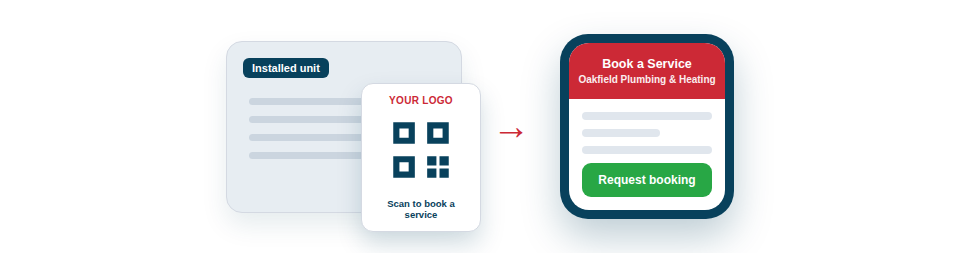
The same code that tracks a tool can win you repeat work. Generate public codes that point to any URL you choose, turning a sticker on installed kit, a vehicle or a flyer into a low-cost, always-on marketing channel.
Turn every job into future work
The strongest use is on equipment you install or maintain for customers, where the code sits in front of the right person at exactly the right moment:
- “Book a service” stickers on kit you have installed at a customer’s premises, linking to your online booking or contact page — so when their boiler, alarm or unit is due a visit, you’re one scan away. (For being reminded about dates on your own kit, see Alerts Before a Date Passes.)
- Proof and instructions that point customers to a manual, a test certificate, or a short how-to video, reducing call-backs and building trust.
- Straightforward marketing on your vehicles, site boards, flyers and business cards, opening your website or a current promotion.
You control the destination
The key is that a public code’s destination is yours to set, so the value isn’t fixed at the moment you print it. A code can point to a booking page today and a seasonal offer next month; the sticker on the wall doesn’t change, but where it leads can. And because these are public codes, no one needs an account or a login to use them — they just scan and arrive, exactly as they would with any QR code in the wild. Throughout, your private inventory stays completely separate and protected, as explained under Public vs. Private QR Codes: What’s the Difference?.
Used consistently, this turns a routine part of your work — labelling and leaving equipment behind — into a steady source of repeat bookings and referrals, at essentially no extra cost.
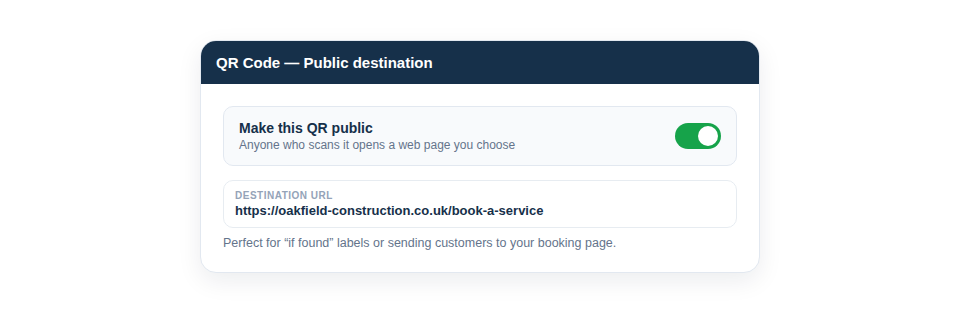
Best Practice: Point client-facing codes at a single, simple page with a clear next step — “book a service” or “get in touch” — rather than your homepage. The easier the action, the more scans turn into work.