
If you have more assets than can be displayed on a single screen, the inventory list will be broken up into multiple pages. The pagination controls at the bottom of the list allow you to navigate between these pages.
Desktop Pagination
On a desktop computer, you have a full set of controls:

- First / Last: Jump directly to the first or the very last page of results.
- Prev / Next: Move one page backward or forward.
- Page Numbers: Click a specific number to jump directly to that page.
- Go to Page: For very large inventories, you can type a page number into the box and click “Go” to navigate instantly.
Mobile Pagination
To save space on smaller screens, the pagination controls are simplified.
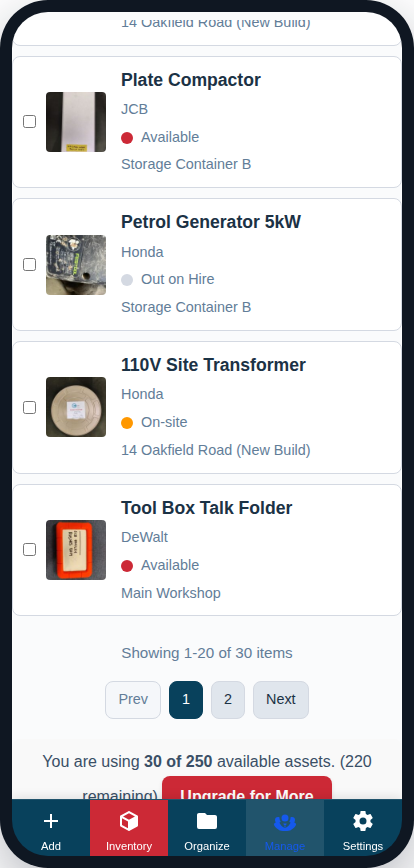
- You will always have Prev and Next buttons.
- The system will show the current page number along with one or two pages on either side.
- The “First,” “Last,” and “Go to Page” controls are hidden on mobile.
The “Items per page” filter at the top of the Inventory Viewer allows you to control how many assets are displayed on each page. You can choose to show more items per page to reduce the amount of clicking if you have a large screen.