
The quality of the photos you give the AI has a direct impact on how good its suggestions are. Get this right and the “Identify image” feature will fill in your asset’s details in seconds.
The single best photo: the rating label
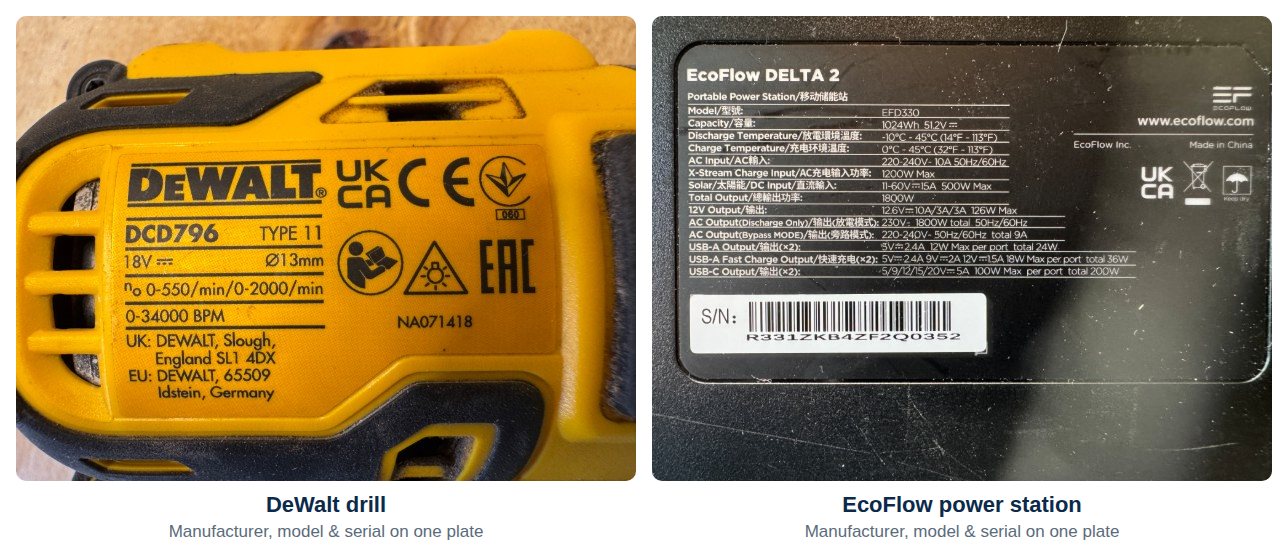
The very best thing you can give the AI is one clear, close-up photo of the asset’s rating label (sometimes called the data plate or spec plate) showing all three of these together:
- The manufacturer (e.g. “DeWalt”, “Makita”, “Sennheiser”).
- The model number (e.g. “DCS391”).
- The serial number.
When all three sit on a single label, that one sharp photo is all the AI needs to identify the item precisely. The two labels below are exactly the kind of shot that works well — a DeWalt drill and an EcoFlow power station, each with its manufacturer, model number and serial number on one clear, well-lit plate.
When it won’t all fit on one label
On many items the details are spread across more than one place — the model on one plate, the serial number stamped somewhere else. That’s fine: take two or more photos so that, between them, they capture everything. As an absolute minimum, try to capture the manufacturer name and model number.
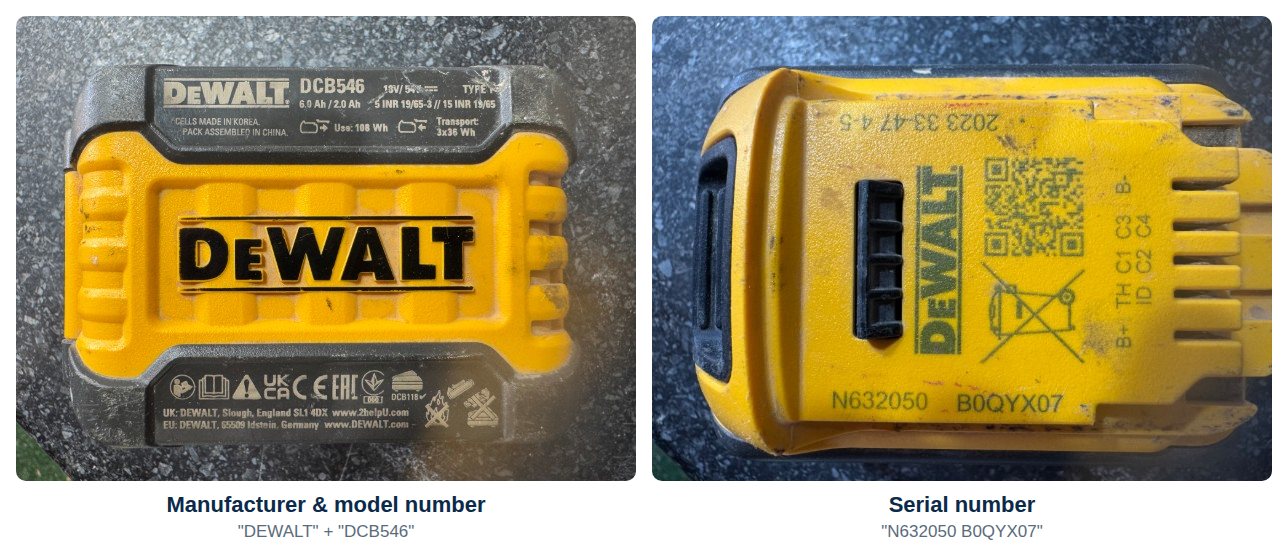
The DeWalt battery below is a good example. The brand and model number are moulded onto one face, while the serial number sits on another — so it takes two photos to cover everything.
Good news: you don’t have to pick just one. If an asset has several photos attached, they are all sent to the AI together, so add as many label and detail shots as you need.
No rating label? The AI can still help
Sometimes there simply isn’t a readable rating label — it’s worn away, hidden, or the item never had one. The “Identify image” tool will still do its best from a photo of the item itself. To give it the best possible chance, follow these four simple rules:
- Good lighting — bright and even, so every detail is clear.
- A plain, contrasting background — set the item on a clean, simple surface that stands out from it.
- Nothing else in the shot — just the one asset, with no clutter around it.
- Include any text you can — manufacturer, model, voltage, or anything else printed on the item.
A poor photo
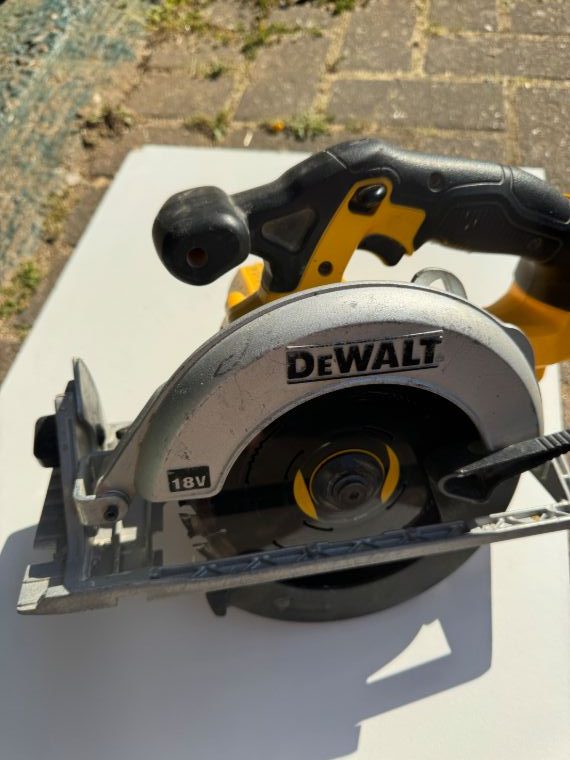
This is not a good photo for the AI:
- There’s no identifying text beyond the manufacturer name.
- Part of the saw is out of frame, and part of it is blurred.
- There are lots of shadows hiding detail.
A much better photo
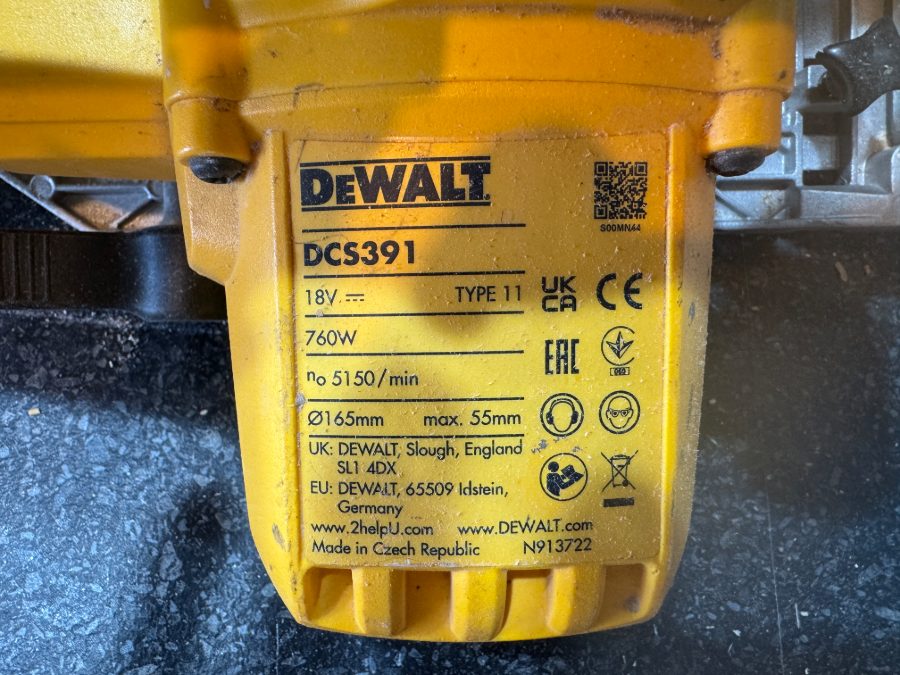
This is another photo of the same tool, and it’s likely to get a far better result. The manufacturer, model number and serial number are all visible and well lit — even though there’s still a little shadow.
Another poor photo
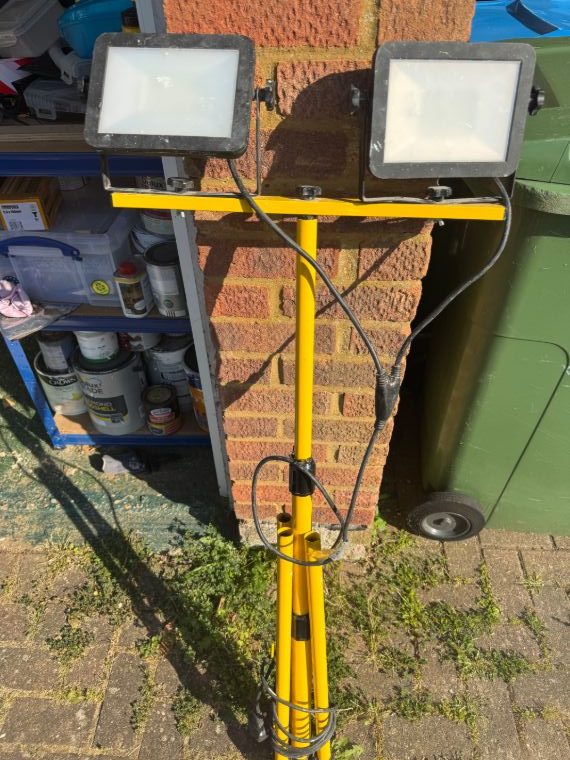
This one will struggle too:
- There’s no manufacturer name in shot.
- Other items are visible in the background, cluttering the picture.
- There’s no rating label for the AI to read.
By aiming for the rating label first — and falling back on a clean, well-lit photo when you can’t — you’ll get accurate identifications again and again, and build your inventory in a fraction of the time.
For what the feature does and what it fills in, see AI asset identification from a photo. For a step-by-step of running it, see Using AI to Fill in Asset Details. For more on attaching images to an asset, see Uploading and Managing Asset Photos.