
Exceed a plan limit and your data is protected, never deleted. And you can export everything you own at any time. The whole system is built on the simple assumption that your data is yours — which is what makes it safe to rely on.
Fair by design
Two principles protect you, and both work the way you’d hope:
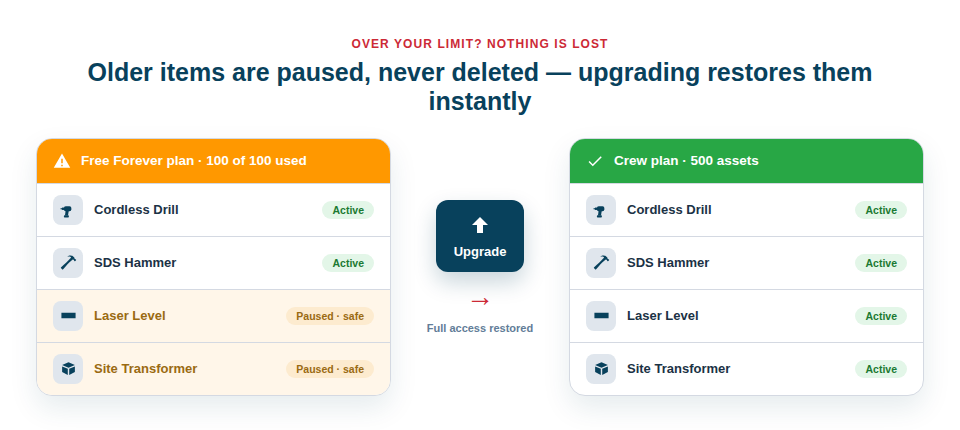
- Nothing is deleted if you go over your asset limit. Instead, older items are simply paused — they’re still there, still safe — until you upgrade, at which point full access is restored instantly.
- You can export anytime, to CSV or PDF, so your inventory is always yours to take elsewhere.
- Upgrading is non-destructive. Moving to a larger plan brings everything back into full play; nothing is lost in the transition.
Peace of mind when you commit
The practical effect of all this is confidence. Knowing your records can’t be destroyed by a billing edge case, and can’t be trapped if you ever choose to leave, removes the biggest fear that stops businesses fully committing to a system. You can put your complete inventory in — values, locations, customer links and all — without the nagging worry that you’re handing over leverage. That confidence is precisely what lets the system become genuinely useful, because a half-populated inventory you don’t trust is worth very little.
If you ever do bump against a limit, the path forward is gentle:
- Your most recent items keep working; older ones are paused, not removed.
- You can still export everything at any point.
- Upgrading restores full access to all of it, immediately.
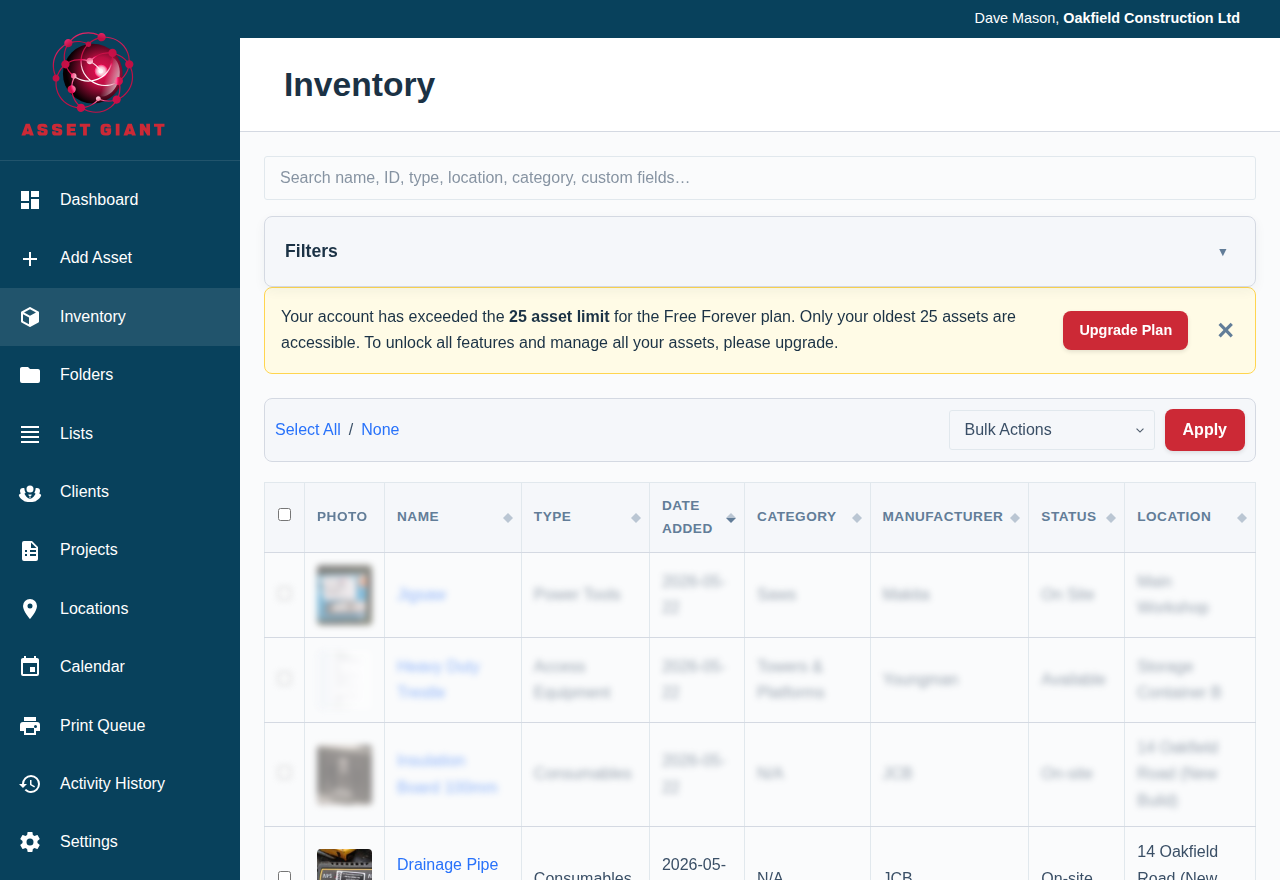
Best Practice: If you’re approaching your asset limit, take a quick export for your records and plan an upgrade at your own pace. Nothing is at risk in the meantime, so it’s a calm decision rather than an emergency.
For the detail, see What Happens When You Reach Your Asset Limit.