
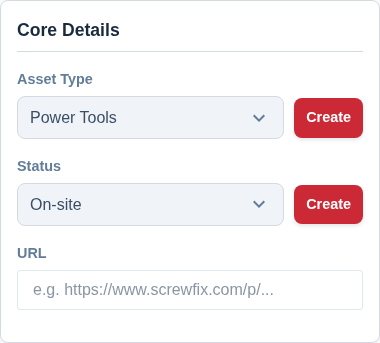
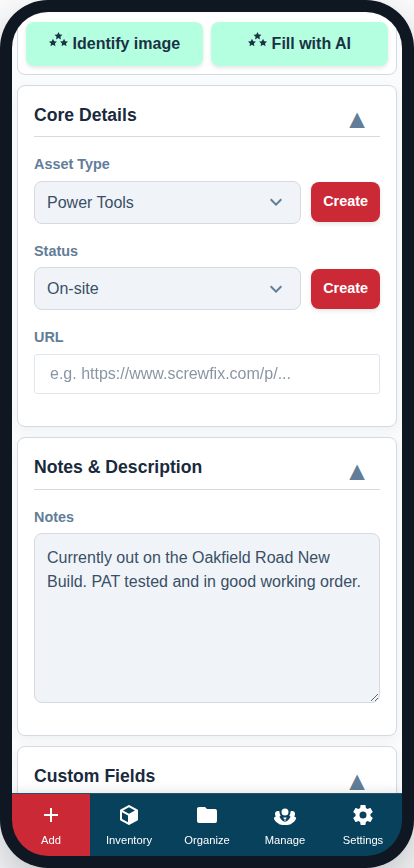
The “Core Details” card contains the most fundamental information about your asset. Getting these fields right is the first step to properly logging an item.
Asset Type
This is a required field. It defines the basic classification of your item.
- Purpose: The Asset Type is used for filtering, reporting, and helping the AI provide more accurate suggestions.
- Options: The system starts with “Tool” and “Asset,” but you can create your own custom types to match your business.
- Learn More: For a full guide on how to best use this feature, see Set Up Asset Types for the Kit You Track.
Status
This field tracks the current state of your asset. The default statuses include “Available,” “On-Site,” etc., but you can customize this list completely.
- Purpose: Status lets you know at a glance if an item is ready for use, needs repair, is out with a client, or has been lost.
- Customizing: You can define your own statuses (e.g., “In for Service,” “Awaiting Parts”) by going to Settings -> Preferences.
Quantity & Unit of Measure
This records how many of the item you hold, and the unit it’s measured in (Each, kg, m, Box, and so on).
- Purpose: For a single tool the quantity is simply 1. For consumables or items you stock in bulk (screws, cable, fixings), set the real number you hold.
- Why it matters for planning: The booking Calendar uses this number to allow more than one booking of the same asset at the same time — if you hold 10 of an item, up to 10 units can be reserved across overlapping jobs before it shows as fully booked. See Book Kit Out for a Job and See What’s Free for how bookings work.
URL
This optional field is for linking to an external web page related to the asset.
- Purpose: This is the perfect place to save a link to the product page on the manufacturer’s or supplier’s website. It gives you quick access to official specifications, documentation, and support information.
- How to Use: Simply copy and paste the full web address into this field (for example, the product page on the manufacturer’s or supplier’s website, such as DeWalt or Screwfix).