
An inventory you can’t search is just a long list nobody opens. Asset Giant gives you three complementary ways to find anything: a quick search that filters as you type, precise, combinable filters, and an AI assistant you can ask in plain English — so the right asset is never more than a few seconds away.
Type to find it instantly
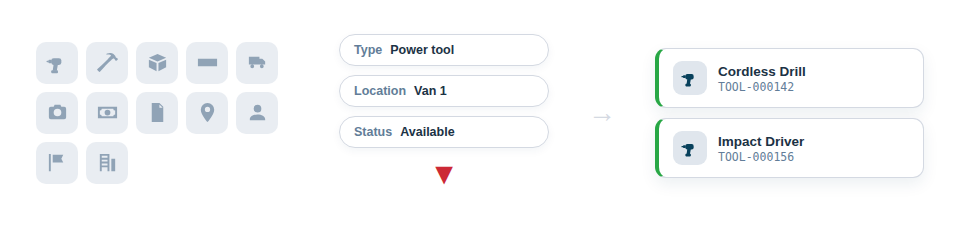
The fastest route is the search bar at the top of your inventory. Start typing and the list narrows live with every keystroke, matching across the things you’d naturally search by — the item’s name, its ID, its type, location, category and even your own custom field values. For most everyday “where’s that thing” moments, a word or two is all it takes.
Slice your inventory any way you need
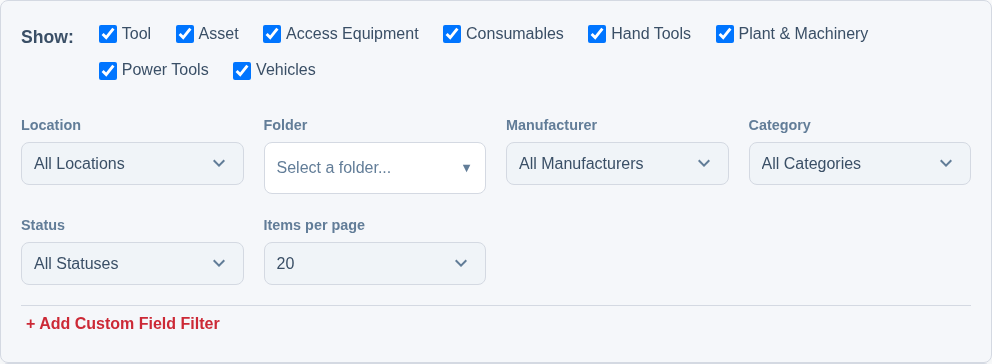
When you want to define a precise set rather than find one item, the filters map onto the questions you actually ask about your equipment:
- By location — show only what’s on Van 1, or everything at a particular site or store.
- By type, category or manufacturer — pull up all the cordless drills, all the access equipment, or everything from one brand.
- By status — list everything available for a job, or everything currently in for repair.
- In combination — stack filters together to answer precise questions, such as “available power tools at the main workshop”, in a single step.
Or just ask — the AI inventory assistant
Sometimes the quickest search is a sentence. Asset Giant’s built-in AI assistant lets you ask questions about your inventory in plain English, the way you’d ask a colleague — no need to know which filter to reach for or how to phrase a query. It understands your actual data and answers from it.
- Natural language. Ask “what tools are out on the Riverside job?” or “which ladders are due a safety check?” and get a straight answer.
- Complex questions in one go. It can handle questions that would otherwise take several filters stacked together — “show me the available power tools at the main workshop that haven’t been PAT tested this year” — and work out what you mean.
- A faster way in for everyone. Staff who’d never think to build a filter can still get answers, just by asking, which means the whole team can rely on the inventory.
You can read more in AI Inventory Assistant.
Built to stay fast at any size
Between these three approaches, the system scales with you. Whether you have fifty items or fifty thousand, finding the right asset stays a couple of taps — or one question — away, and the experience doesn’t get worse as you add more. That reliability is what keeps the inventory genuinely useful: because looking things up is effortless, people do it — before buying, before hiring, before assuming something’s lost — and the whole business benefits from decisions made on fact rather than guesswork.
Filtering also underpins bulk actions: narrow to exactly the set you want, then act on all of them at once, which is covered under Edit, Move or Delete Many Assets at Once.
Best Practice: For a quick lookup, just type in the search bar. When you need a precise set to act on, reach for the filters. And when you’re not sure how to ask, put the question to the AI assistant in plain English — it’s often the fastest route of all.
For the full guide, see Find One Tool Fast: Filtering Your Inventory.