
Run any saved list as a scan-off checklist: each item ticks off as you scan it, and you see at a glance what’s still outstanding — so nothing gets left behind before you set off.
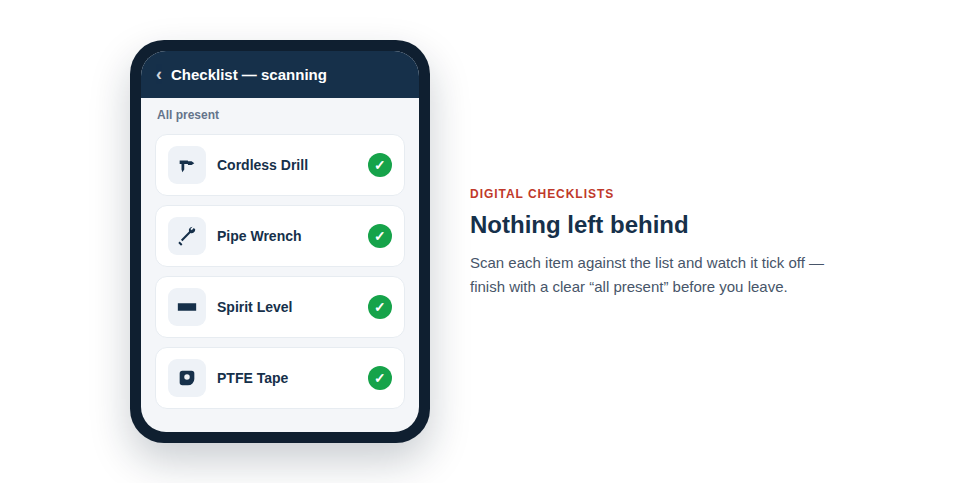
Make sure nothing’s left behind
The strength of checklists is that they turn “I think we’ve got everything” into certainty:
- Build the list once. Define the kit for a recurring job or a standard van load, and reuse it every time.
- Run it as a checklist. Scan each item and watch it tick off against the list.
- See what’s missing. Anything not yet scanned stays clearly outstanding, so you know exactly what to grab before you leave.
More than loading the van
Checklists earn their place beyond the morning kit check. They’re a natural fit for safety and compliance routines — running through the equipment needed for a particular task, or confirming the right gear is present before a job starts. Used for toolbox talks and pre-start checks, they give you a quick, repeatable way to verify that the necessary equipment is genuinely on hand, rather than assumed.
In practice the routine is short and forgiving:
- Open the relevant list and start a checklist run.
- Scan items as you load or gather them.
- Glance at the outstanding items and collect anything still missing.
Three ways to work one off
The same list, and the same record at the end of it, whichever suits the job:
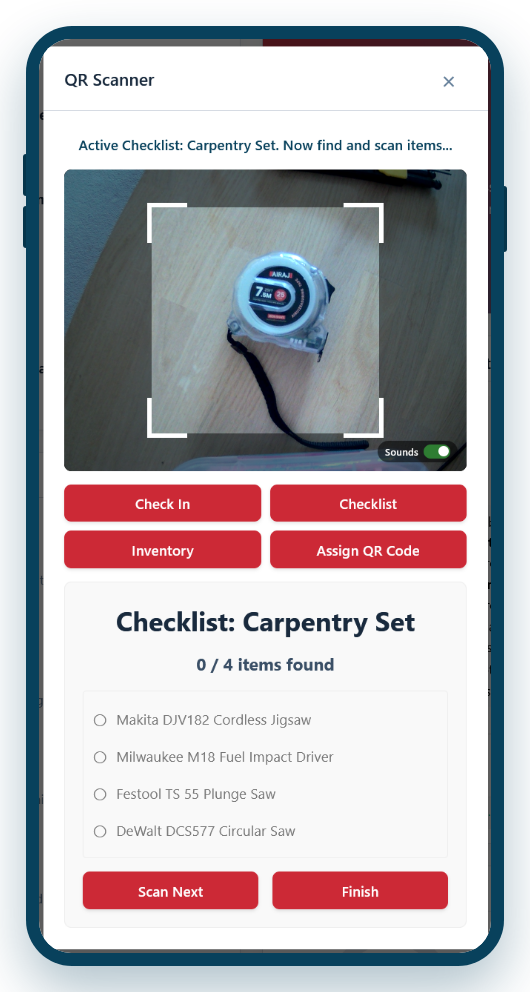
- Scan it. Point the camera at each item and watch the count climb. The fastest route when the kit carries labels and the person has a phone in their hand.
- Tick it off on screen. Open the list, choose Complete Checklist, and tick the lines. No camera needed — right on a laptop, right for a sheet being entered after the event, right for a stocktake done at a desk.
- Print it blank and fill it in with a pen. A branded tick sheet with the columns you choose, for the plant room with no signal or the site that bans phones (see Printable Paper Checklists).
A line can also allow substitutes — “any 110v drill” — and then whichever one is scanned or ticked satisfies it, with the record keeping which item it actually was (see Interchangeable Items in a Kit).
A record you can prove
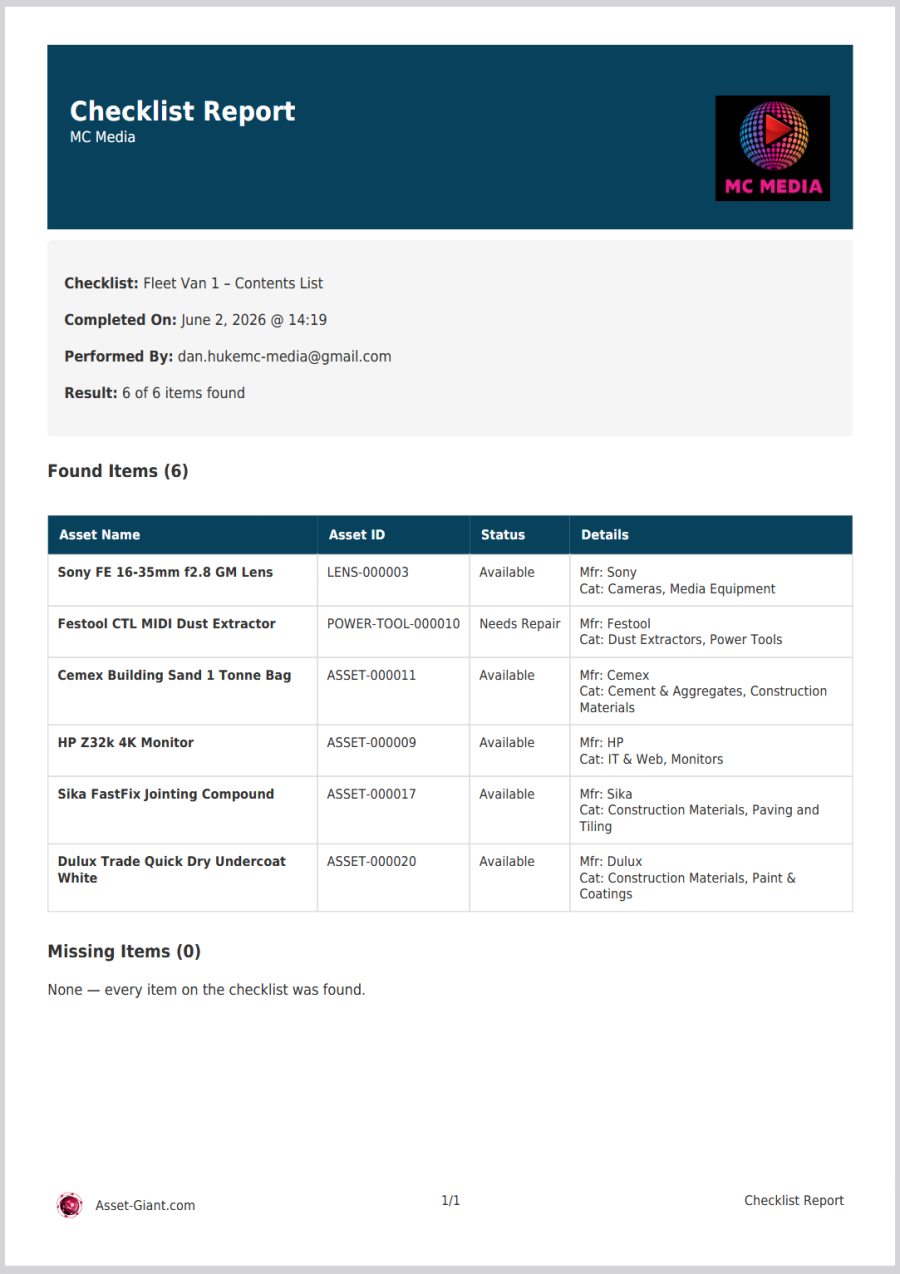
A checklist isn’t only useful in the moment — it leaves a trail. Asset Giant keeps a complete history of every time a checklist is run, so you can look back and see exactly when each check happened, who ran it, and the outcome. For safety and compliance routines especially, that record turns a quick scan-off into genuine, demonstrable evidence that the right equipment was present.
- See every run. Each time a checklist is used is logged, building up a full history you can review later.
- Scanned vs missed at a glance. For any run you can see precisely what was confirmed present and what was outstanding.
- Download a PDF report. Export a tidy report of a checklist run with a single tap — ideal for an audit file, a client, or your own records.
This makes checklists doubly valuable: they prevent the forgotten tool today, and they prove the check was done tomorrow.
Best Practice: Keep a standing checklist for each van’s core kit and run it every morning. It takes a minute and all but eliminates the wasted trips that come from setting off a tool short.
For more, see Managing Assets with Digital Checklists and Use a List as a Toolbox Talk or Inspection Checklist.