
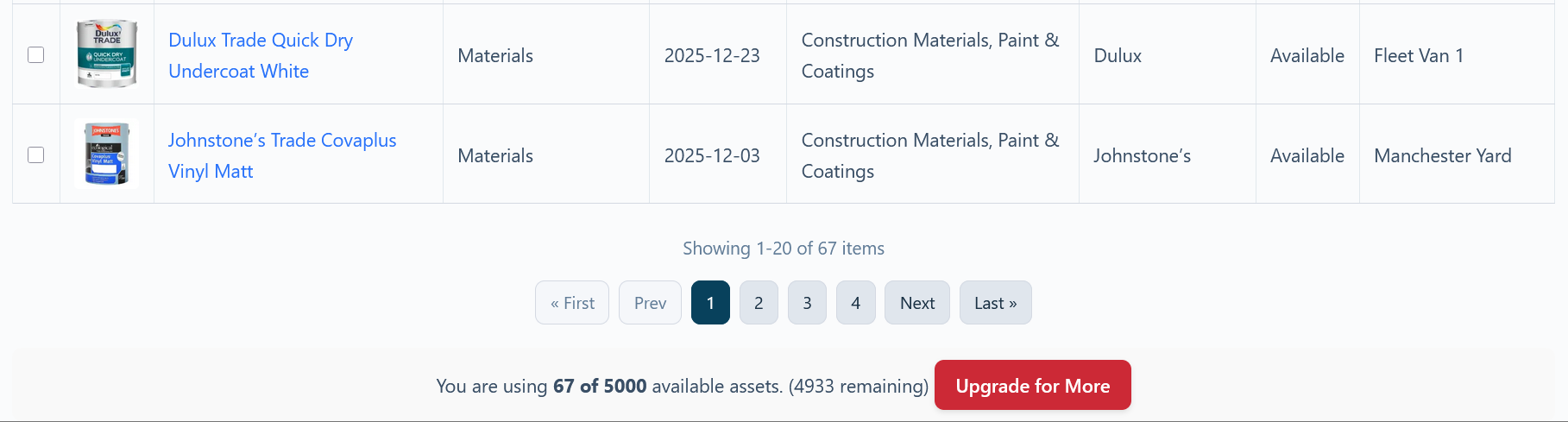
At the bottom of the Inventory Viewer page, you will find a summary of your current asset usage relative to your subscription plan’s limit.
What it Shows
This counter provides a quick, real-time check on your primary account limit: the total number of assets you can have in your inventory.
- You are using 42 of 100 available assets. (58 remaining)
It tells you:
- How many assets you currently have.
- The maximum number of assets allowed by your current plan.
- How many “slots” you have remaining.
What Happens if I Exceed My Limit?
Asset Giant uses a “fuzzy access” or “soft limit” model to prevent you from being blocked from your work. If you exceed your asset limit (e.g., you have 110 assets on a 100-asset plan):
- You will be blocked from creating new assets. The “Add Asset” button may become disabled.
- You can still access your oldest assets. The system will allow you to continue viewing and editing your oldest assets, up to your plan limit. In the example above, you could still access your first 100 assets.
- Your newest assets will become “inaccessible.” The 10 assets you added most recently (assets 101 through 110) will appear blurred out in the inventory list and you will not be able to edit them.
This ensures that your historical data is never lost and you can continue to manage the bulk of your inventory, while encouraging you to upgrade to a plan that fits your business needs.
To regain full access and add new assets, you can either delete some older assets to free up space or click the “Upgrade for More” button to move to a higher plan.
For a more detailed breakdown of all your account limits, see Check Your Plan, Your Usage and What You Can Add.