
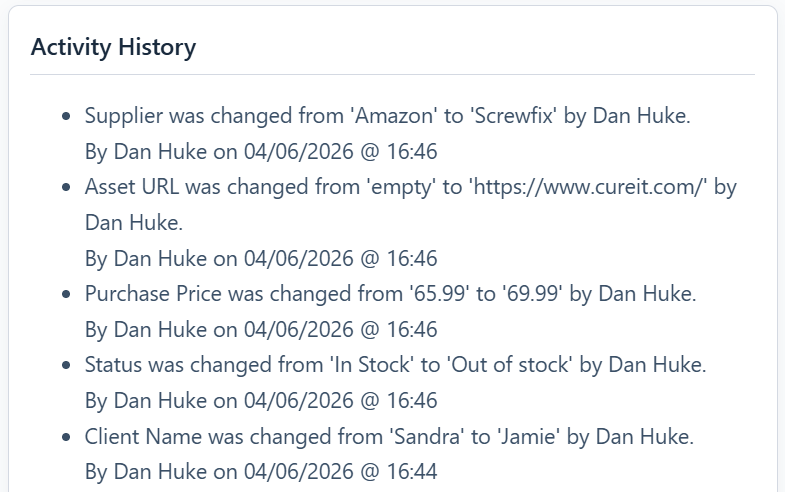
The “Activity History” card provides a chronological log of every significant event in an asset’s lifecycle. It is a read-only audit trail that helps you understand how an asset has been used and managed over time.
This card is only visible when editing an existing asset.
What is Logged?
The system automatically creates a new log entry whenever one of the following events occurs:
- The asset is created.
- The asset is deleted (moved to the trash).
- Any field is updated (e.g., Status changed from “Available” to “On-Site”).
- The asset is assigned to a new location, project, or user.
- A QR code is generated.
- The asset is added to or removed from the print queue.
- The asset is added to or removed from a List.
Each log entry includes the details of the change, the name of the user who made the change, and the exact date and time it occurred.
Navigating Long Histories
If an asset has a long and detailed history, the log will be broken into multiple pages. You can use the “Prev” and “Next” buttons at the bottom of the card to navigate through the entire history.