
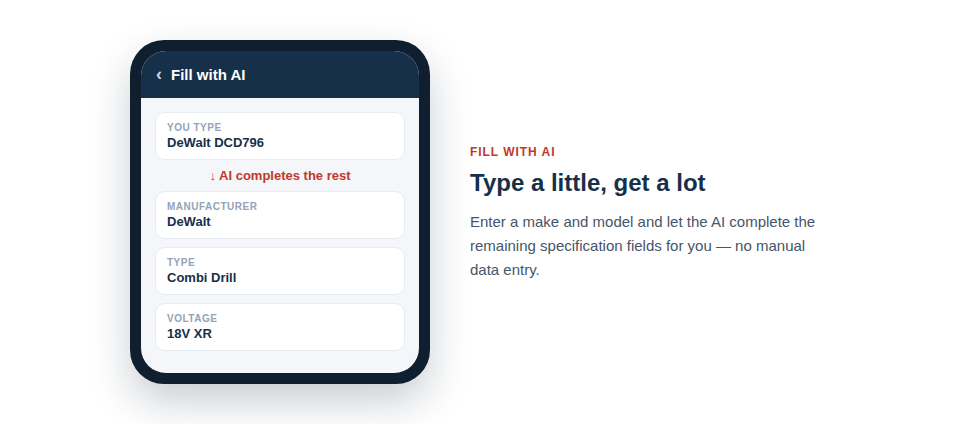
No photo needed — just type a make and model and let the AI do the legwork, finding and filling in the fuller specifications for you. Ideal for logging items from a delivery note or invoice at your desk.
Perfect for quick, desk-based entry
This approach shines whenever you have information but no photograph:
- Start from what you know. A make and model is usually all the AI needs to get going.
- Use existing details as clues. Any field you’ve already filled in can be sent to the AI as a “search hint”, sharpening the result — tell it the manufacturer is definitely DeWalt and it won’t waste time considering anything else.
- No photo required. It’s ideal for logging items from a paper trail, or for enriching records you created in a hurry with only a name.
Two ways to let the AI help
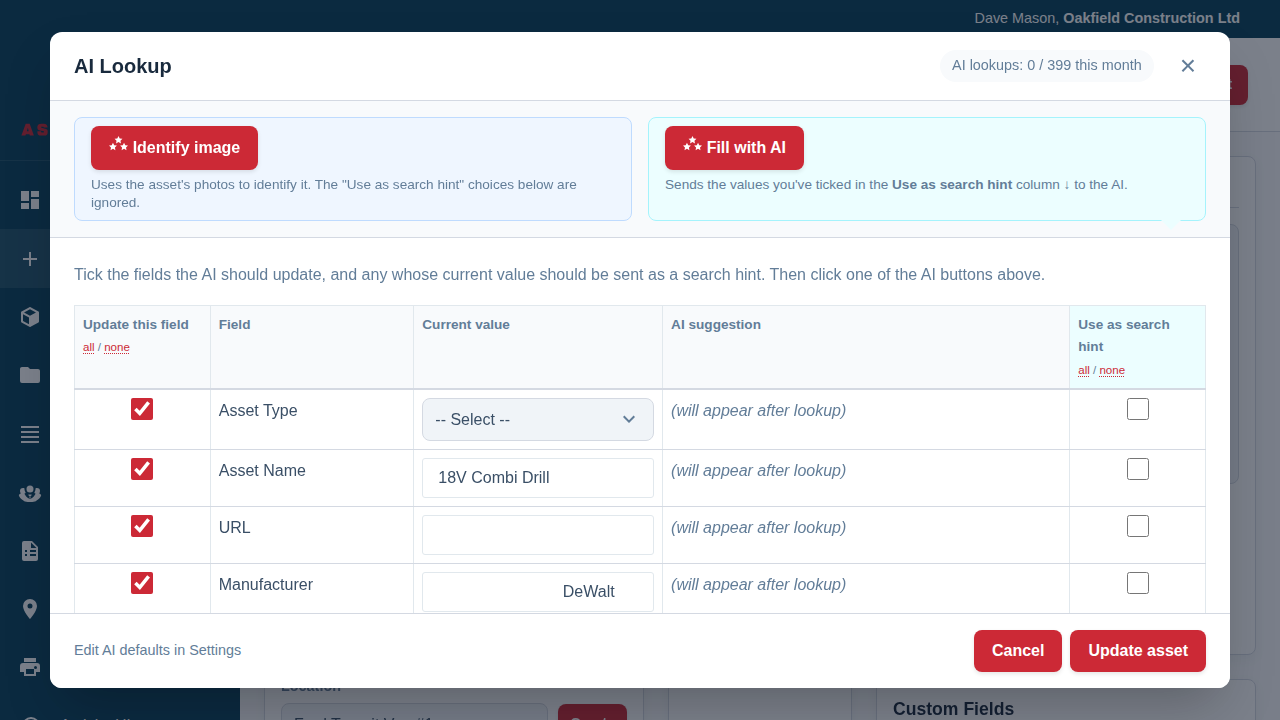
Asset Giant gives you two complementary tools, and understanding the difference helps you pick the right one. Identify image works purely from a photograph and is best when you have the item but don’t know what it is. Fill with AI works from the details you type and is best when you know what the item is but want the rest filled in. Both open the very same review window, so whichever route you take, you always see and approve the suggestions before anything is saved.
In practice the text-based flow is quick:
- Type in the details you already know, such as the manufacturer and model.
- Tick which of those values to send as search hints.
- Run the lookup and review what the AI proposes for the remaining fields.
- Edit anything you want, then apply.
Best Practice: The more accurate your starting facts, the better the result. A correct model number is the single most valuable hint you can give, because it pins the AI to one specific product rather than a family of similar ones.
For the full guide to both methods, see Using AI to Fill in Asset Details.