
Asset Giant lets a line on a kit list say “any one of these” instead of naming one exact item. The van needs any 110v drill, not drill number four. The shoot needs one camera body with the right mount. The site pack needs any of the three vacuums that are not already out. A list built that way keeps reading correctly as the kit moves around, and a complete load stops being reported as a load with something missing.
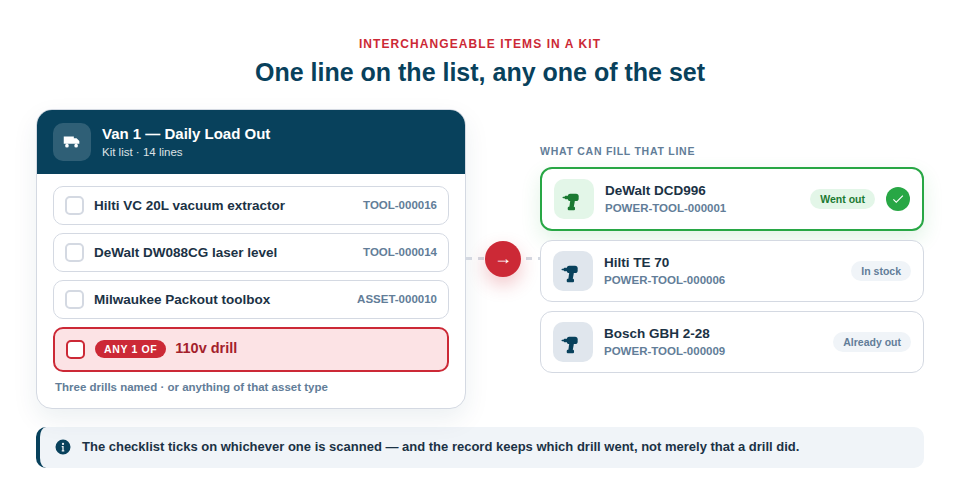
Two ways to say what fills a line
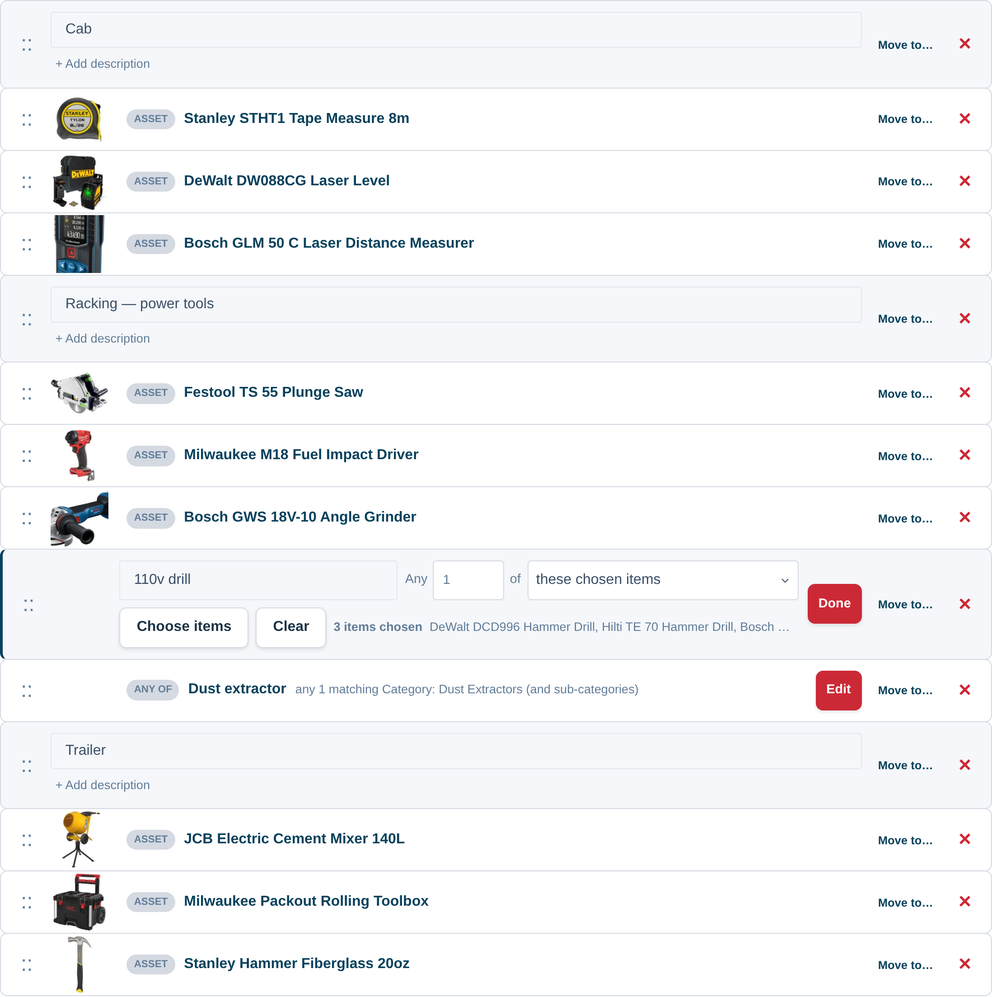
Each substitute line is named the way the person reading it thinks — “110v drill”, “Vacuum cleaner”, “Spare battery” — and then satisfied in one of two ways:
- These chosen items. Hand-pick the exact items allowed to fill the line: your three cordless drills, two of your four vacuums, the one pair of podium steps tall enough for the job. Precise, and right when the set is small and particular.
- Anything matching a rule. Point the line at an asset type or a category instead, with or without its sub-categories. “Any 110v drill” then picks up the drill you buy next month without anybody remembering to edit the list — the match is worked out at the moment the list is used, so it is never out of date.
A line can also ask for more than one: any two of these ladders is a single line, not two lines that both have to be guessed at.
On a checklist, it just ticks
Working a list off on the scanner, the person on site sees the line and what satisfies it. Scanning any one of the items that fits ticks it off, and the completed record keeps which item filled it — so a month later you can see that it was the yellow vacuum that went to that job, not merely that a vacuum did.
Where nothing that fits is in stock at that moment, the sheet says so rather than silently passing or failing the line. For the whole flow, see Digital Checklists.
When an action needs one real item
Some jobs cannot be done to a choice: checking kit in or out, printing labels, creating a booking, exporting the list with full columns. When one of those starts from a list that has substitute lines, you are simply asked which you mean — a short sheet with one picker per line, each limited to that line’s own set.
Those choices are used for that action and nothing else. They are never written back to the list, so the list stays general and next week’s van can take a different drill without anybody editing anything. Nothing is refused because an item is already out: you are told, and you decide.
On paper, the choice belongs to the loader
Printing a list as a blank tick sheet is often the right answer for a van, and a substitute line prints the way paper wants it — one row naming the line and what satisfies it, with a write-on line for the Asset ID that was actually taken. The person loading decides and writes it down (see Printable Paper Checklists).
An export offers the same choice in the other direction: show the substitute lines as they are, or pin a particular asset to each and get a full asset row for the record of what went.
Best Practice: Name fixed items where the item genuinely matters — the specialist lens, the calibrated meter — and use a substitute line for everything that is one of a set. A kit list written that way is one you can keep for years rather than rebuild every job.
For the step-by-step, see Adding Substitute Items to a List. For kit lists in general, see Lists & Kits, and for checking one off on site, Digital Checklists.