
Is the breaker free? Is anything you need next Tuesday already promised to another crew? Asset Giant answers both the right now and the what’s next — with a status on every asset and a booking calendar — and lets you choose how much structure your business needs.
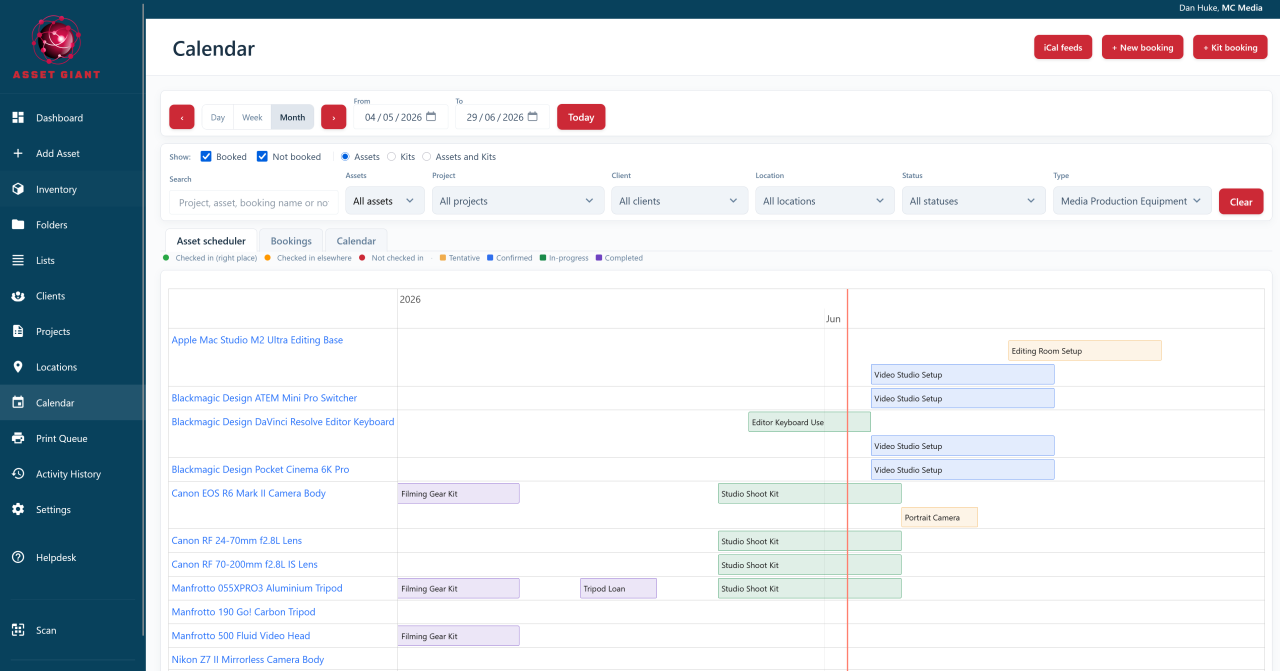
Two ways to stay in control
Every business runs differently. Some just need a quick, honest flag on each item; others plan kit days or weeks ahead and need specific gear reserved for specific jobs. You can lean on either approach on its own, or run both together — there’s no forced workflow.
A status on every asset
The simplest way to stay on top of your kit is a single, visible status on each item. At a glance you can see whether something is Available, On-site, Out on Hire, In for Repair or Retired — and filter your whole inventory down to one state in seconds.
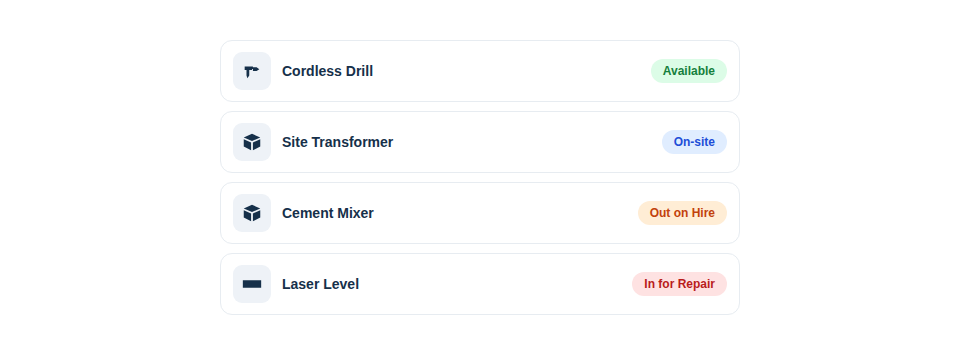
The built-in statuses cover most needs, but you can define your own to mirror your trade exactly — “Awaiting PAT”, “Out on Hire”, or a “Retired” state for written-off kit you don’t want to delete. Set or change a status by hand as an item moves through its life, and update many at once with bulk actions. It’s a lightweight, no-dates way to keep everyone honest about where things stand.
Booking assets to jobs and dates
When you need to plan ahead, the booking calendar lets you reserve a specific asset for a specific job over a specific date range — so a tool that’s free today but promised to Friday’s job shows as spoken-for before someone else grabs it. In short, you can:
- Book a single asset, or a whole kit for a job in one action.
- Drag a booking to a new day or time the moment plans change.
- Rely on it being quantity-aware — eight of ten harnesses booked still leaves two genuinely free.
When a booking’s start time arrives, Asset Giant updates the asset’s assigned job, client and location to match and records it in the history — so your data keeps step with your plan. The full tour is in The Asset Booking Calendar.
Pick the workflow that fits
The two work beautifully together: a booking is your plan (where an asset should be), while statuses and scan-based check-in reflect reality (where it actually is). A small firm might use statuses alone; a busy hire or production outfit will live in the calendar; most settle somewhere in between — and Asset Giant is happy either way.
Best Practice: Start simple. Get a short, unambiguous status list working first, then add date-based booking once you’re regularly planning kit ahead and clashes start to cost you.
To tailor your status list, see Add Your Own Asset Statuses, Such as In for Repair; to start reserving assets, see Book Kit Out for a Job and See What’s Free.