
Scan a blank, pre-printed sticker and Asset Giant offers to link it to a new or existing asset, right there on your phone. The tag becomes permanently tied to an item in the time it takes to point a camera.
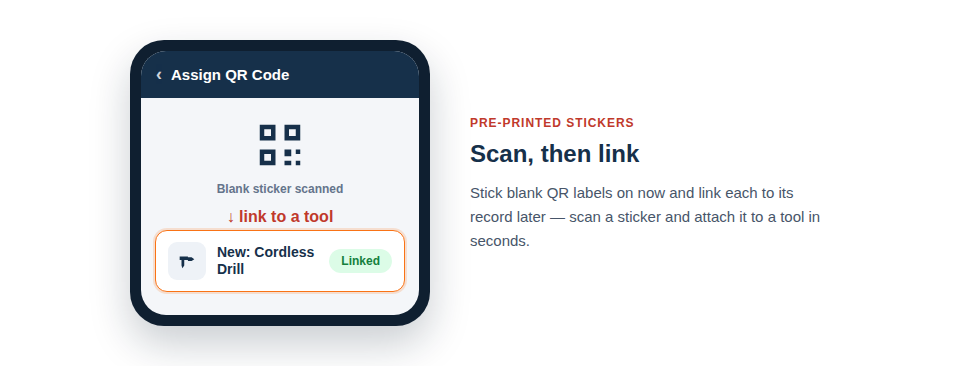
From blank sticker to tracked asset
The flow is designed to be done in the field, item in one hand and phone in the other:
- Scan a pre-printed, unassigned sticker on a tool.
- Choose whether to create a new asset or link it to one that already exists.
- Add or confirm the details — using the AI to fill them in from a photo if you like.
- The sticker and the asset are now permanently connected, and every future scan reaches that record.
The fast way to tag a whole fleet
This is the second half of the “label first, log later” approach, and it’s what makes tagging a large existing inventory genuinely achievable. Because assigning is just a scan, the work doesn’t have to happen in one sitting or fall to one person. You can wander round the store linking stickers in spare moments, or spread the job across the whole team, each person assigning the kit they happen to be using that day. The slow, off-putting part — sitting and typing — is replaced by short, scan-driven bursts that fit around real work.
It pairs naturally with bulk-generated codes: print and apply a batch of blanks, then assign them opportunistically over the following days as the tools get handled.
Best Practice: Lean on the AI when assigning. Taking a quick photo as you link a sticker lets the AI fill in the asset’s details on the spot, so a blank tag becomes a fully-described, tracked asset in one short step.
For the full picture, see Print QR Labels Now and Assign Them to Assets Later.