
Your company profile isn’t box-ticking admin — it ripples across the system every day. Your logo turns plain stickers into branded labels, and a short business description sharpens every AI suggestion.
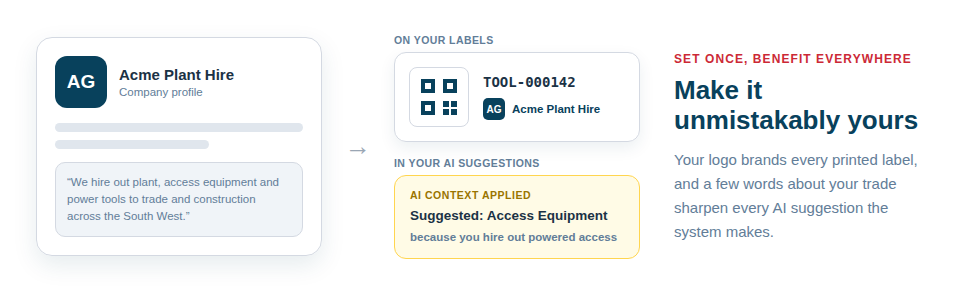
Make it unmistakably yours
A complete profile improves several things at once:
- Your branding. Your logo appears on the labels you print, so your equipment looks professionally tagged and quietly markets you wherever it’s seen.
- Your details. Billing and delivery addresses are held in one place, ready wherever they’re needed.
- Your AI accuracy. A clear business description gives the AI the context it needs to suggest the right categories and details for the kind of kit you actually own.
- Your currency. Set your local currency once and every price across the system — on asset records, in the financials section and in your exports — displays in it, with nothing to set per item.
Set once, benefit everywhere
The reason this matters more than it first appears is reach. A single, well-completed profile improves your labels, your records and the relevance of every AI lookup — all from one short setup. And because it’s editable at any time, it keeps pace with your business: refresh the description if your focus shifts, swap the logo if you rebrand, and the changes take effect immediately.
To get the full benefit:
- Add your company details and upload your logo.
- Write a clear, specific description of what your business does.
- Keep it current as the business evolves, so labels and AI suggestions stay on-brand and on-point.
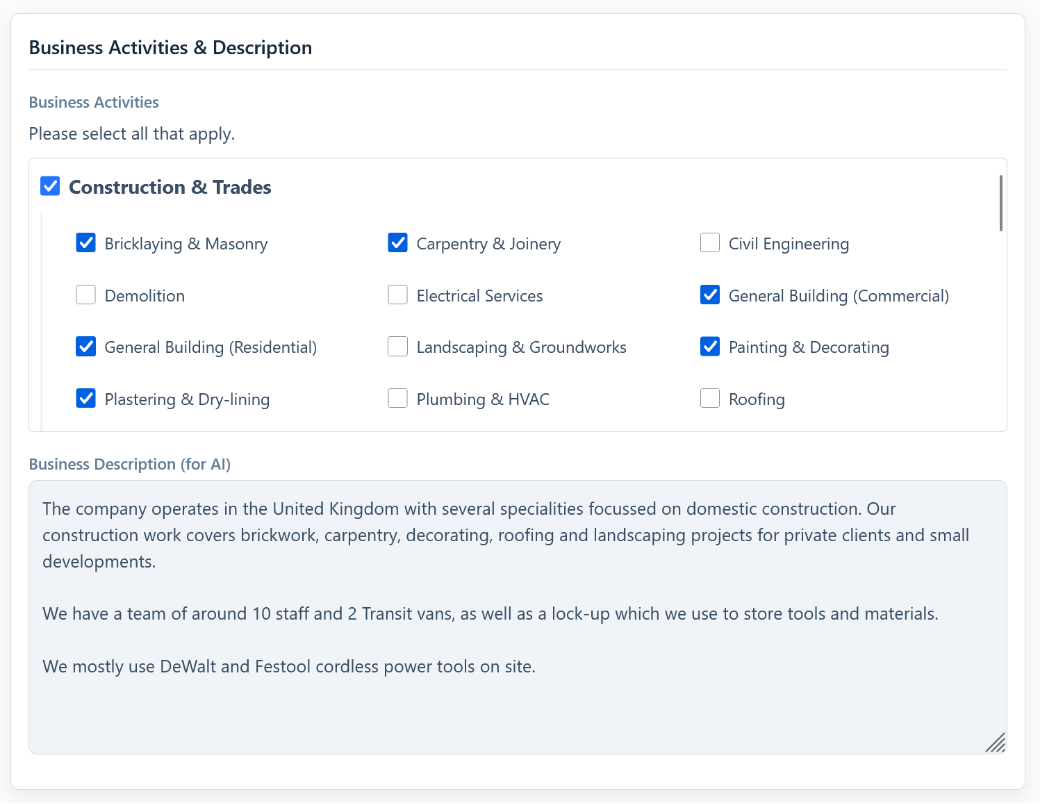
Best Practice: Treat the business description as if you were briefing a new employee on what you do. The clearer and more specific it is, the better the AI performs on every future lookup.
For more, see Managing Your Company Profile and Addresses.