
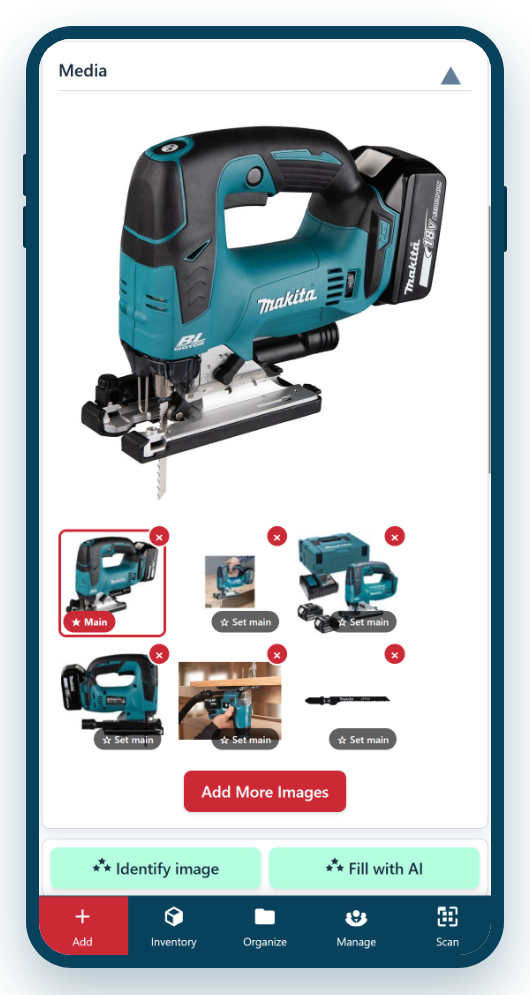
A photograph settles an argument a hundred words can’t — was that drill scratched before it left, or is this the 18-volt model? Asset Giant lets you attach several photos to every asset, so your inventory is one you recognise at a glance rather than a list of names to interpret.
Why photos earn their place on every record
Photos do far more than make the inventory look tidy. They become a practical tool your whole team relies on:
- Instant recognition. A picture identifies an item faster and more reliably than any written description, especially for staff who are new or in a hurry.
- A condition record. Photograph an item as it goes out and again as it comes back, and you have clear evidence of fair wear and tear — or of damage that needs accounting for.
- Fuel for the AI. The very same photo can be handed to Asset Giant’s AI, which recognises the item and fills in its name, make, model and category for you. See Using AI to Fill in Asset Details.
- Proof of ownership. Alongside a serial number, a clear photo strengthens insurance claims and police reports if equipment is stolen.
Made for the way you actually work
Because Asset Giant runs in your phone’s browser, you take photos exactly where the tool is — standing next to it on site, in the van, or in the store — rather than carting equipment back to a desk. Add as many images as an item needs and choose the clearest as the main picture, which is the one that then shows throughout the inventory list and on the asset’s profile.
In practice this turns photography from an afterthought into the quickest way to log an asset at all:
- Open a new or existing asset and tap to add a photo from your camera.
- Take one clear shot of the whole item against a plain background.
- Let the AI read the photo and propose the details, or fill them in yourself.
- Add a few extra angles or close-ups of serial plates and damage if it’s worth recording.
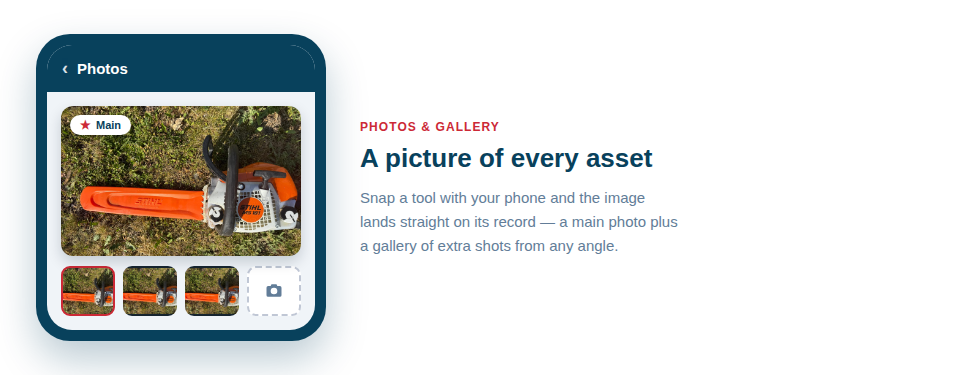
Best Practice: A single, well-lit photo of the whole item on an uncluttered background is worth more than a dozen busy ones — and it also gives the AI the best possible chance of identifying the tool correctly.
For the full walkthrough, see Uploading and Managing Asset Photos and our advice on Best Practices for Taking Asset Photos for AI.