
A generic system can’t query the things unique to your business — PAT test dates, hire rates, calibration flags. Asset Giant lets you filter on your own custom fields, turning passive notes into a powerful way to surface exactly what needs attention.
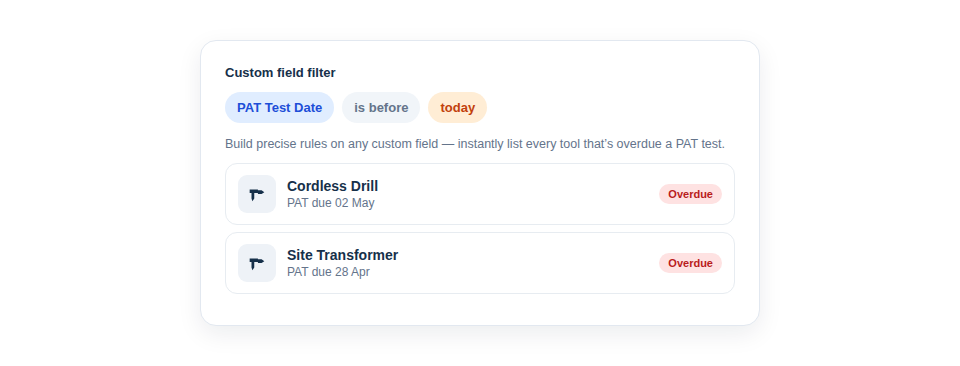
Ask your own questions
Once your fields are filterable, you can answer the questions that are specific to how you run things:
- “Which items have a PAT test date before the end of this month, so I can plan a testing round?” — or, on a paid plan, give the field a lead time and the list arrives by email before the dates fall due.
- “Show everything tagged with this PO number, so I can reconcile a particular job.”
- “List all equipment flagged as requiring calibration, ready for the next service visit.”
- “Find the items whose next service date has passed, so nothing slips through.” — and a reminder on the same field flags overdue items on the Alerts page without anyone running the search.
Lightweight reporting, no report builder
The genuinely useful part is that this gives you targeted reporting without the complexity. There’s no report designer to learn and no query language to write. You build a simple rule on a field, and the inventory immediately shows the matching assets — a live, filtered view you can then act on, export, or hand to whoever needs it.
In practice it’s just a few steps:
- Create the custom fields that matter to your business (see Add Your Own Fields to Track Anything Extra).
- Fill them in as you add and update assets.
- Add a custom-field filter rule whenever you need to surface a particular set.
Because the filter respects the field’s type — treating a date as a date and a number as a number — the results are precise rather than approximate, which is what makes them safe to base decisions on.
Best Practice: Design a custom field with filtering in mind. A proper Date field, for instance, lets you ask “before today” or “this month”, and can carry a reminder so you are told ahead of time; the same information typed into a free-text notes box can’t be queried at all.
Filtering by date is available on every plan. Reminders — a lead time on the field and an email to the people you name — are included from the Crew plan; see Alerts Before a Date Passes.
For the broader filtering picture, see Find One Tool Fast: Filtering Your Inventory.