
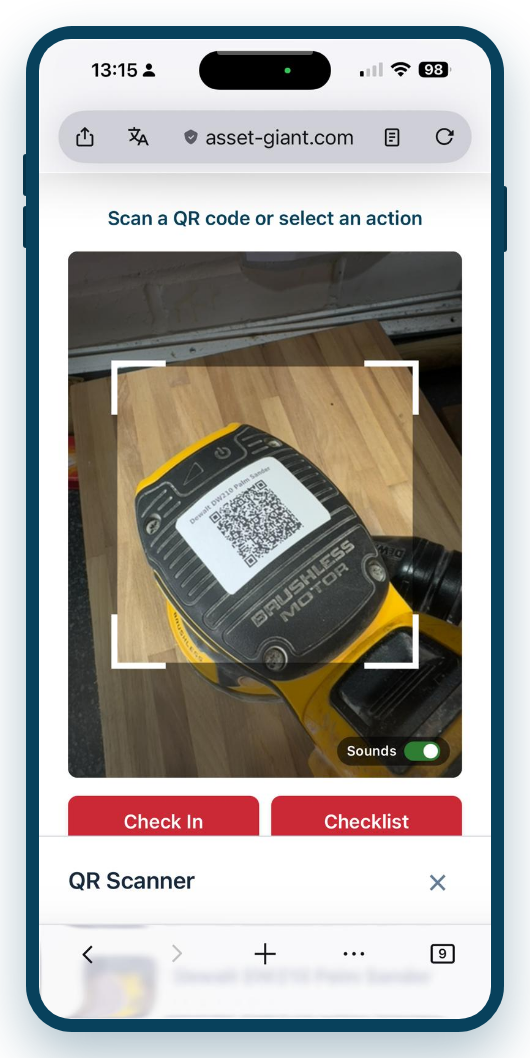
Scan the destination, scan the kit, and Asset Giant updates where everything is. The trail builds itself as you move tools, so you always know where everything is — and who moved it.
Accountability without the admin
The whole point is that it adds almost no effort to a job people are doing anyway:
- Choose or scan the destination — a van, a site or the store.
- Scan each item you’re moving, one after another.
- Asset Giant updates the location of every scanned item in one go.
There’s no form to fill in and nothing to remember later; the act of scanning is the record.
Know who has what, and end the blame game
Because movements are captured as they happen, you can always answer the two questions that matter when something goes astray: where is it, and who moved it there. That visibility does two things at once. It sharply reduces genuine losses, because kit that’s tracked tends not to wander. And it defuses the friction around the kit that does go missing, because there’s a factual record rather than a finger-pointing exercise.
Over time, the in/out history of an item also tells a useful story — which jobs it’s been on, how heavily it’s used, and whether it’s earning its keep.
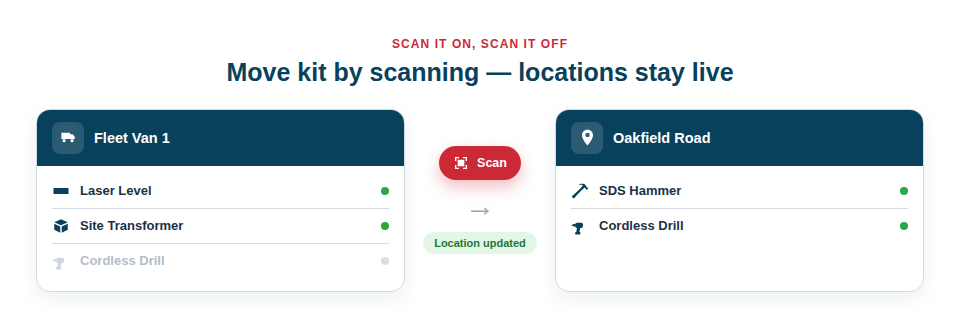
Best Practice: Make checking kit on and off the van part of the daily routine, the same way you’d lock up. A few seconds of scanning at the start and end of the day keeps locations accurate with almost no extra effort.
For the full guide, see Moving Assets between Locations via Scan.