
The “Financials” card provides a dedicated place to store all cost and warranty-related information for an asset. Keeping this data accurate is essential for accounting, insurance, and managing repairs.
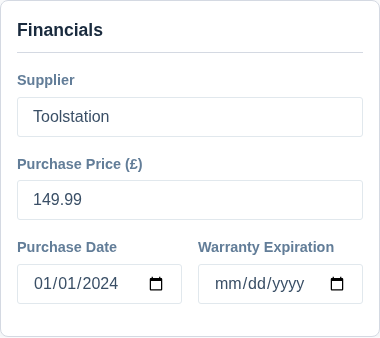
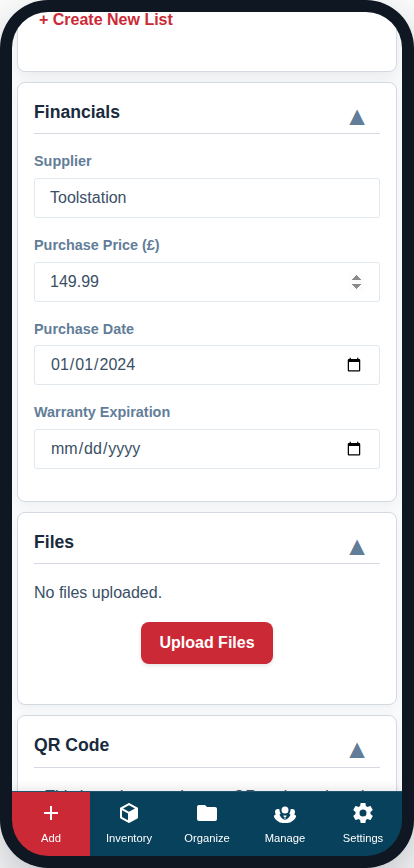
Supplier
Enter the name of the company or store where you purchased the item.
- Best Practice: Use a consistent name (e.g., “Screwfix” or “Travis Perkins”) to make it easier to search for all items from a specific supplier later.
Purchase Price
Enter the cost of the item, using only numbers and a decimal point (e.g. 149.99). The field is already labelled with your company’s currency symbol (such as £), so you don’t need to type a symbol yourself.
- Purpose: Tracking the purchase price is vital for calculating the total value of your inventory, managing depreciation, and for insurance claims.
Purchase Date
Select the date you purchased the asset using the calendar picker.
Warranty Expiration
Select the date the item’s warranty expires. This allows you to quickly see which items are still under warranty when they need service or repair.
It is also a date a reminder can watch. Set up one rule — say, 30 days before any warranty expires, emailed to whoever handles claims — and you are told while the cover still stands, with nothing more to enter on each asset. Reminders are included from the Crew plan; see Getting Alerts Before a Date Passes.