
The AI proposes; you decide. Nothing is ever written to an asset until you’ve seen it, checked it and explicitly approved it — so you get the speed of automation with none of the risk of losing control of your own data.
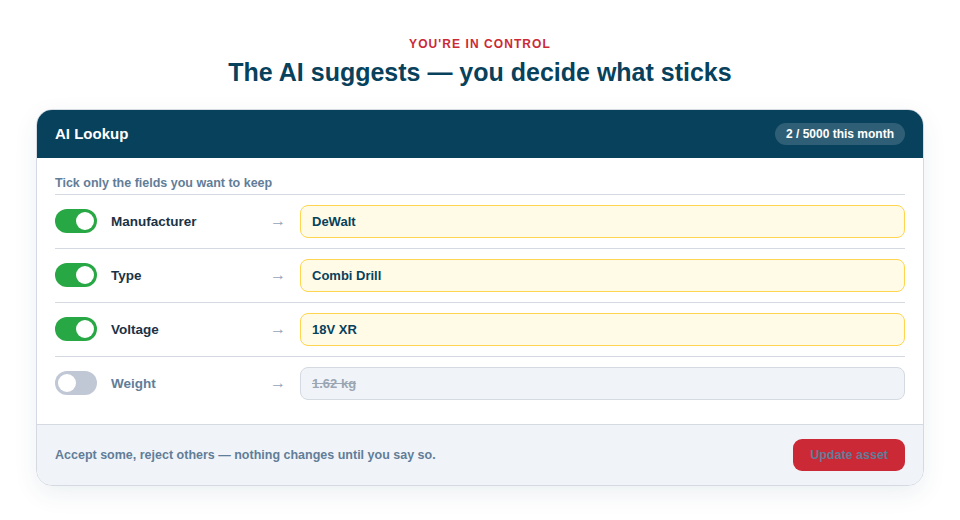
A review window, not a black box
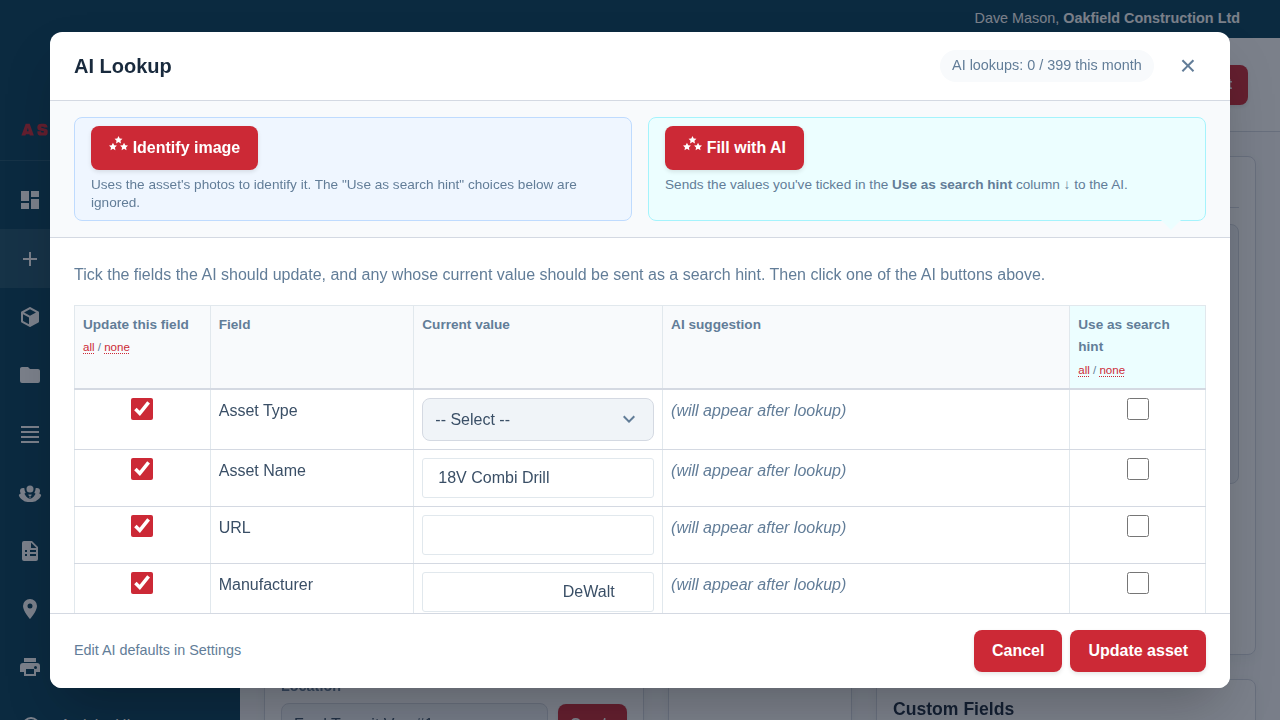
When a lookup runs, the results don’t drop straight onto the asset. Instead they appear in a clear review window where every field is laid out for inspection:
- Current value versus AI suggestion, side by side, so you can see exactly what would change before it changes.
- A tick-box on every row, so you can accept the suggestions you want and leave anything else completely untouched — useful when the AI nails the model but you’d rather keep your own wording for the name.
- Inline editing, so you can accept the gist of a suggestion and refine the wording in the same place, rather than fixing it afterwards.
- A re-run option, so if the first attempt isn’t quite right you can adjust your search hints and ask again, without starting over.
Confidence built into the workflow
Because nothing is saved until you press Update asset, the whole feature is safe to hand to any member of staff. There’s no way for a careless tap to corrupt a record, and there’s no mystery about what changed — you approved it. That confidence is what lets businesses actually adopt AI-assisted entry across the whole team, rather than restricting it to one cautious person.
The result is the best of both worlds:
- The AI does the heavy lifting of finding and filling details.
- You stay the editor-in-chief, accepting good suggestions and quietly dropping any that miss.
- Your inventory grows quickly and stays accurate, because every entry passed through a human check.
Best Practice: Glance carefully at the high-stakes fields — serial numbers and prices in particular — before applying. The AI is an excellent head start, but these are the details worth a two-second human confirmation every time.
See the review window in action in Using AI to Fill in Asset Details.