
Guided tours give you short, friendly pop-up tips exactly where the action happens — pointing at the right button and moving you along. No videos, no training mode: your team is productive from day one.
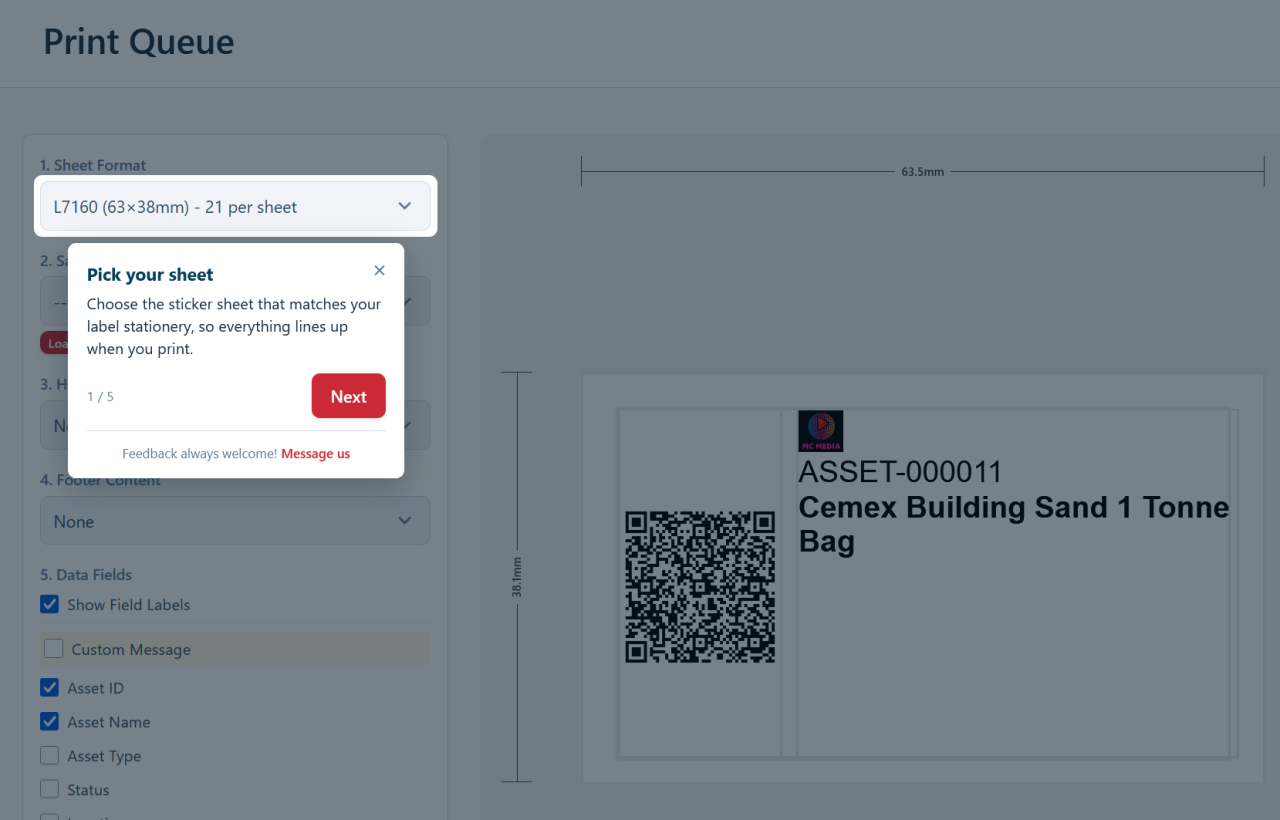
Help that arrives at the right moment
A tour is a tight sequence of two to four tips. Open the booking calendar for the first time and a tour shows you how to reserve a single asset, book an entire kit for a project, and switch between the timeline and the agenda view. Open the label designer and it shows you how to choose your sticker sheet, decide what prints on each label, and save the design to reuse forever. Add your first asset and it points out the AI button that identifies a tool from a photo, filling in the make, model and category for you.
Because the tips appear in context — on the real screen, against the real buttons — they stick. You’re not trying to remember an abstract walkthrough; you’re doing the actual task with a hand on your shoulder. Each tour shows only once automatically, with the occasional reminder about a powerful feature you may not have tried yet, so seasoned users are never nagged.
Discover the features you’re paying for
Some of Asset Giant’s most valuable tools are the ones a new user wouldn’t stumble across on their own:
- AI image identification and lookups that turn a quick photo or a model number into a fully filled-in asset record.
- The AI assistant, which answers plain questions about your live inventory — “which assets are overdue back?” — in seconds.
- Bookings, reserving one asset or every item a project needs on the calendar in a single action — and sorting out any clashes for you.
- Custom asset types, statuses and fields that bend the system to fit your trade, whether you run a building firm, a film crew, an events company or a plant-hire yard.
Tours put these front and centre, so the capabilities that sold you on Asset Giant actually get used.
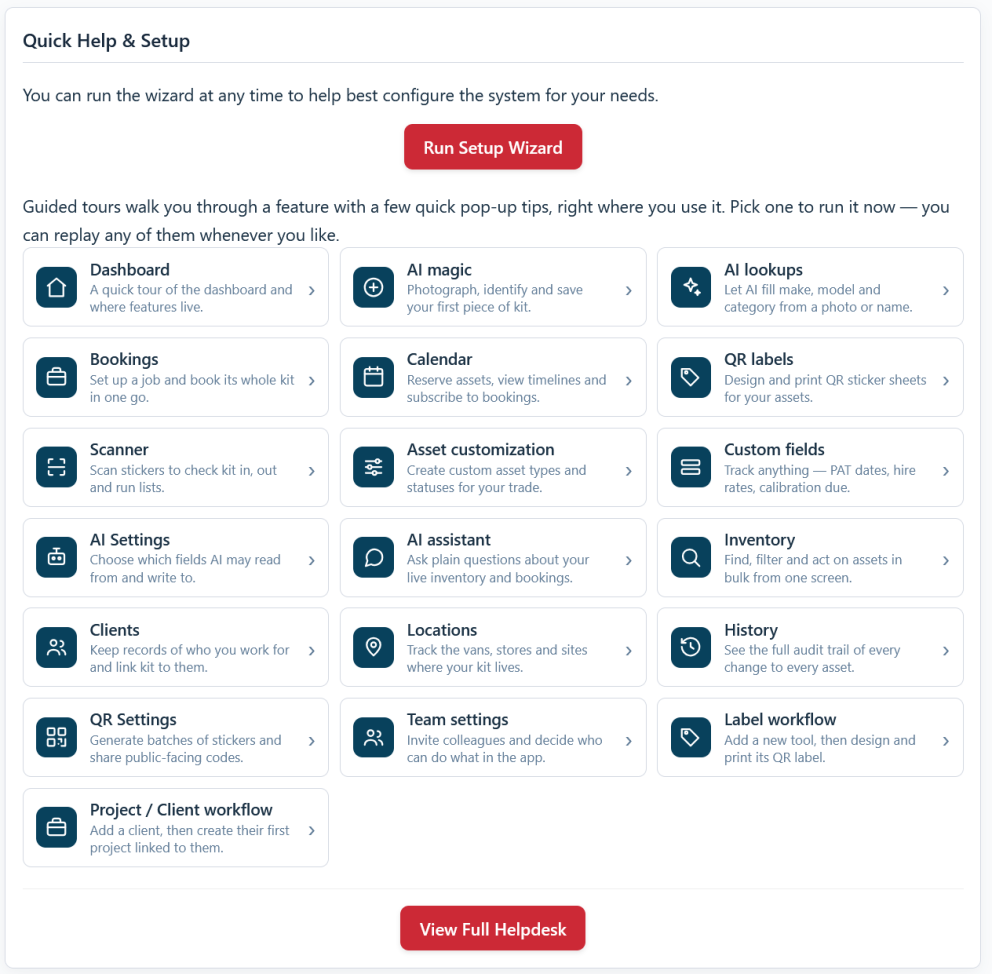
On demand, and on every plan
Guided tours aren’t a one-time onboarding gimmick. From your dashboard, the Quick Help panel lists every tour with a clear, plain-English label — tap one to run it whenever you like. From any page, the “Show tips for this page” menu item replays the relevant guidance on the spot. Prefer to explore unaided? A single setting turns the automatic pop-ups off while keeping every tour available on demand. Your preference is saved to your own account and follows you between the van and the office.
This matters most when your team grows. A new starter logs in, and the tours introduce the day-to-day features without you having to stand over them — turning what used to be a training session into a few minutes of self-guided exploration. And it’s all included free on every plan, from Free Forever upwards.
Ready to set the system up around how you work? See the step-by-step guide in Guided Tours and Help Tips.