
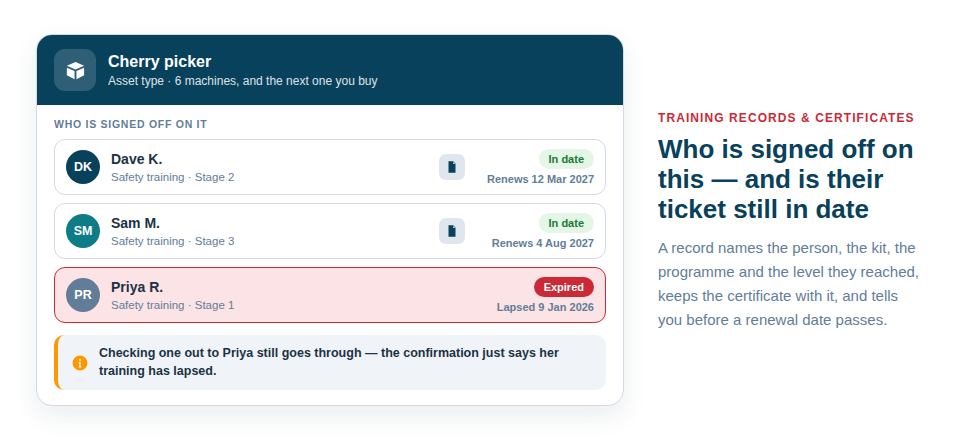
Asset Giant answers two questions that usually take a phone call: who on the team is signed off to use this machine, and is their ticket still in date. Each record names a person, the kit it covers, the programme and the level they reached, the date, an optional renewal date and the certificate itself. The person on site opens the item and sees whether they are cleared to use it. The office opens one screen and sees everything one person holds, or everything coming up for renewal.
Programmes and levels, shaped like your own courses
Training in most companies is a course with stages, so that is how it is recorded. A programme is one course — “Safety training”, “Power tool proficiency”, “Abrasive wheels” — and its levels are the stages somebody works through on it, in order, with the most senior at the bottom. That order is what lets the register answer “who has reached at least stage 2 of this?”
Each level can say whether a certificate is expected at it and whether refreshers at that level should be reminded about, so the right defaults arrive with the record instead of being set one at a time. Two ready-made programmes are a press away if you would rather start from something and rename it.
One record, however wide you need it
A record can cover:
- A type of asset — “trained on cherry pickers” covers every cherry picker you own, including the one you buy next year.
- A category — everything filed under it, which suits a group of similar machines.
- One particular asset — for the machine that needs its own paperwork.
The wide answer is usually the right one, and it is the one that stops the register going stale. A record made against a particular asset takes precedence over an inherited one at the same level, so a machine that needed an extra sign-off reads correctly without the general record being disturbed.
Recording a training day across twenty machines is one sheet: choose the person, pick the items from your inventory, choose the programme, the level and the date, and a record is written for each.
The certificate lives with the record
Attach the PDF, or a photograph of the card somebody is holding up on site. It sits on the record, on the asset, where the next person to ask will look. There is no separate folder to keep in step and nothing to find again when a client asks for evidence before a job starts.
A warning at the moment it matters
When somebody checks an item out to a person, and that item is one the company keeps training records for, the confirmation says plainly if that person has no current training recorded for it, or if theirs has expired.
It warns and does not block. The check-out goes through, because the person holding the phone may have perfectly good reason and the app is not the place to overrule them — but nobody can say afterwards that it was not flagged. Items nobody has ever been signed off on stay silent, so the warning only appears where it means something.
Renewals you hear about in advance
A record can carry a renewal date, and everything coming up shows in Refreshers Due, filtered to the next thirty, sixty or ninety days or the coming year. A row you have dealt with can be dismissed from the list without touching the record behind it.
A reminder rule turns that into email. It can cover every programme, or exactly the ones you care about — “stage 2 on Safety training and Advanced on Power tool proficiency, and nothing else” — with however many days’ notice retraining needs to be booked in. Reminders are included from the Crew plan (see Alerts Before a Date Passes).
Who can see and change it
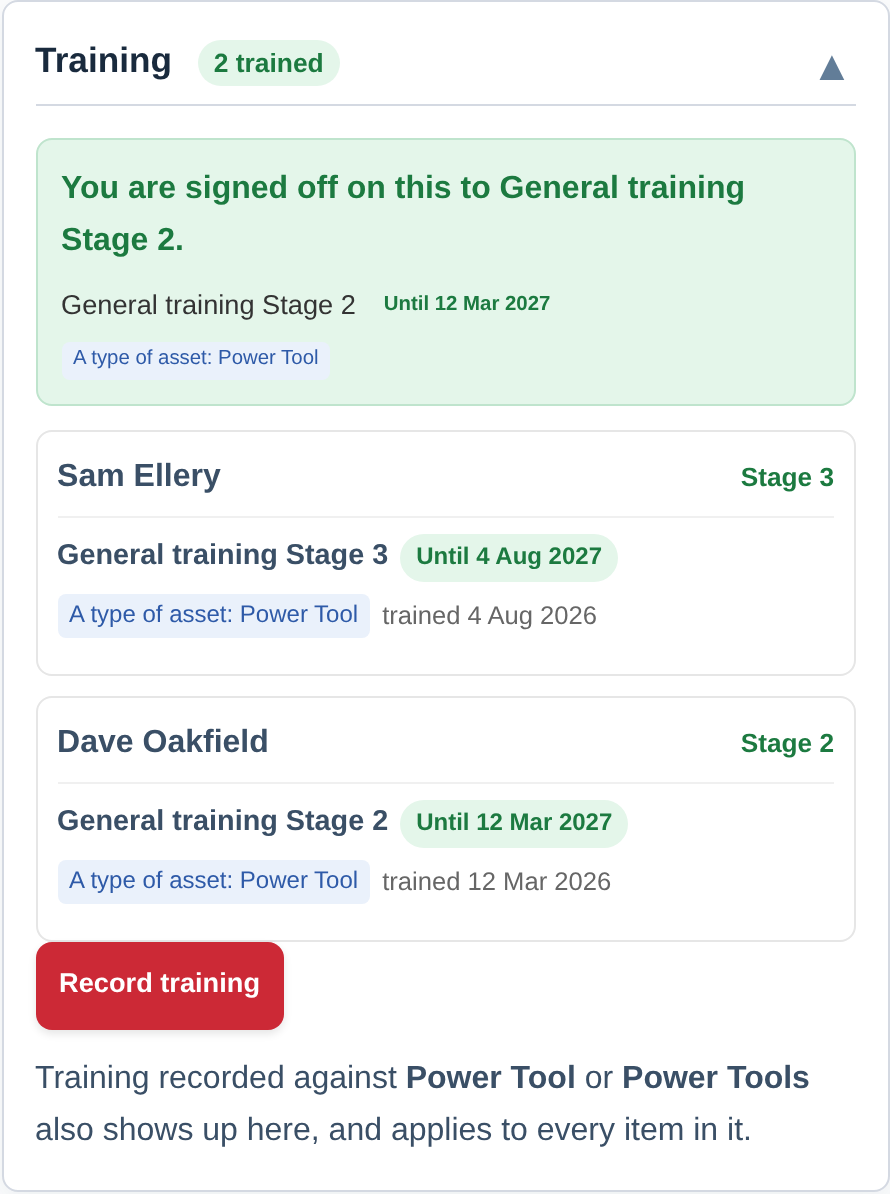
These are records about people, so recording and editing them sits with the Owner and Admin roles. Everybody else can read the training card on an asset, which is the part the person on site needs: am I cleared to use this (see Add Your Whole Team).
Best Practice: Set up the one or two programmes you actually certify against, record training against asset types rather than individual machines wherever you can, and put a renewal date on anything that expires. The register then keeps itself current as the fleet changes.
For the step-by-step, see Recording Who Is Trained on What. For keeping the kit itself in date alongside the people, see Maintenance & Testing Schedules.