
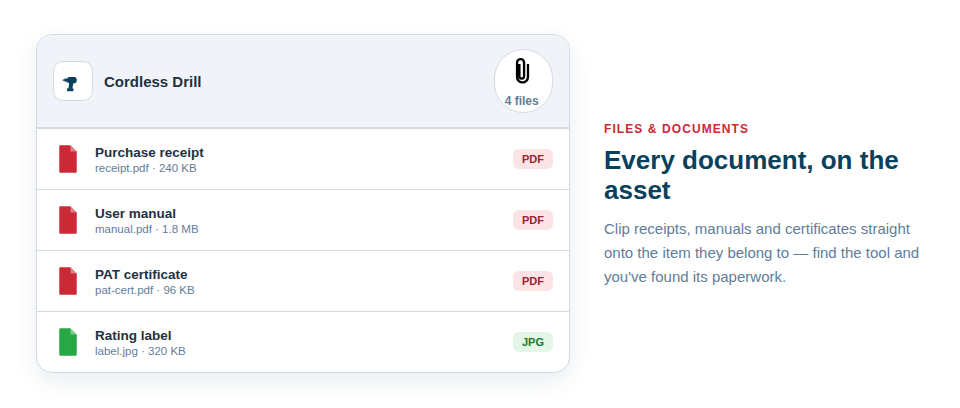
The receipt that would settle a warranty claim or the certificate an inspector wants always vanishes at the worst moment. Asset Giant lets you attach files directly to the asset they belong to — every receipt, manual and certificate lives on the record of the item itself. Find the asset, and you’ve found its paperwork.
The paperwork that’s worth keeping on each item
Different businesses keep different documents, but the most valuable ones to attach are usually:
- Receipts and invoices, ready for warranty claims, insurance and your accountant.
- Manuals and datasheets, so the correct settings and procedures are always to hand on site.
- Test, calibration and inspection certificates, kept against the exact item they cover so audits become a matter of opening a record rather than ransacking a cupboard.
- Photos of labels and rating plates that you want preserved as files alongside the asset’s gallery.
Why this beats a shared drive
A folder full of PDFs on a shared drive is better than nothing, but it has a fatal flaw: the file tells you almost nothing about which physical tool it relates to, and matching the two up is a manual, error-prone chore. Attaching documents to the asset turns that on its head. Anyone who can find the tool — by searching, filtering or scanning its QR code — can immediately reach everything that goes with it.
That has real, everyday value:
- A warranty claim becomes a two-minute job: open the asset, download the receipt, done.
- An inspection stops being a scramble, because every certificate is already filed against its item.
- Knowledge stops walking out of the door, because the manual and notes stay with the asset rather than in one person’s head.
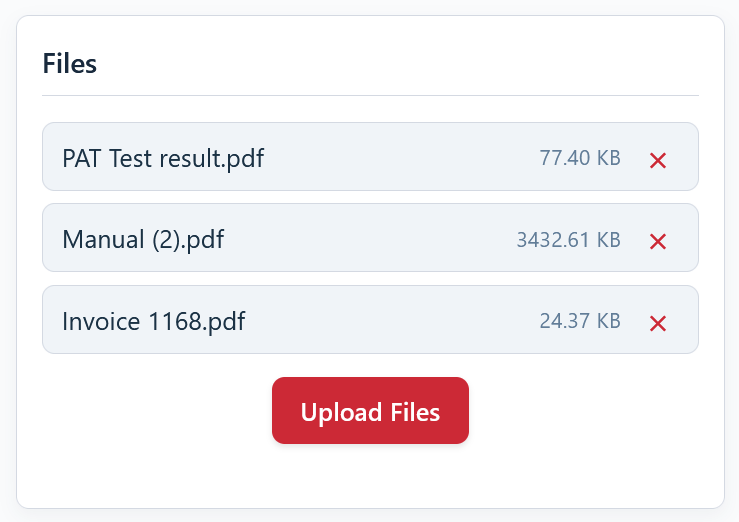
Best Practice: Get into the habit of attaching the receipt and any certificate the moment a new item is added. It takes seconds at the point of purchase and saves an afternoon of digging later.
For the full guide, see Keep Receipts, Manuals and Certificates with the Asset.