
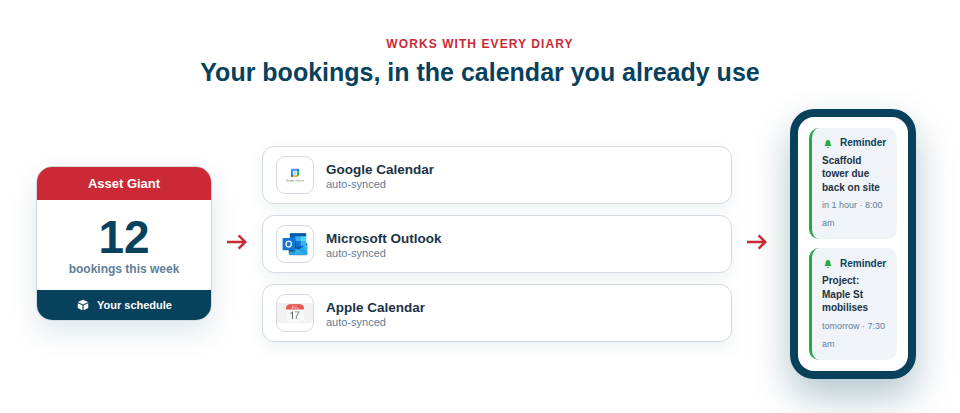
Asset Giant puts your bookings and projects into the calendar each person already uses — Google, Outlook, Apple or the calendar on any phone — and tells the right people before a kit is due back. Your diary shows what the week looks like; Asset Giant says what needs doing about it.
The schedule in your diary, the chasing done for you
The two halves do different jobs, and they are set up separately so you can have either or both:
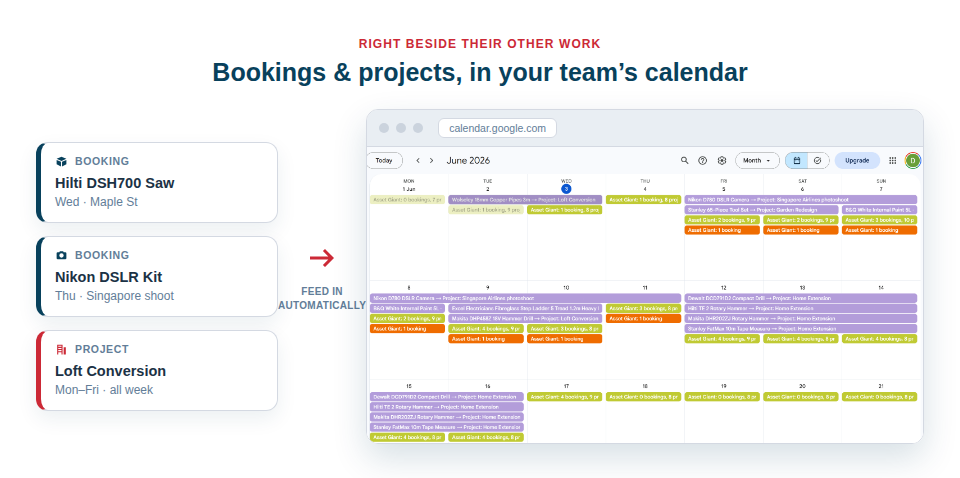
- A calendar feed carries the schedule. Every booking and every project becomes an event in your own calendar, alongside the rest of your work, and updates on its own as bookings are added, moved or cancelled.
- A reminder carries the things that need attention. When a booking is due back, an email goes to the people you name — the day before, or however many days ahead you choose — and the item appears on the Alerts page in the app until it is returned.
Subscribe to a feed and you can see the week. Set a reminder and you are told in time to act. The same reminders also watch the dates on your kit — a PAT test due, a LOLER inspection, a warranty running out — which is covered in Alerts Before a Date Passes.
Choose the view that suits you
Not everyone wants the same thing in their calendar, so there are several feeds, and you can subscribe to more than one:
- All company bookings — every reservation across the business, one event each. Ideal for the office.
- My bookings — just the items assigned to you, for a clean personal view.
- Projects — your jobs as multi-day events by their start and end dates, which sits neatly over the bookings feed.
- Daily summary — a single all-day entry per day whose notes list everything happening: each booking with its asset, client, project and location, plus every project running that day. One tidy line a day instead of a crowded calendar.
- Daily summary (just me) — the same once-a-day digest, limited to your own bookings.
The daily summary gives owners and managers a morning glance at what is on today without scrolling through dozens of separate events, and it reads well on a phone. Because every entry is a real calendar event, your calendar’s own notifications work on it too — a buzz an hour before a job mobilises, if that is how you like to be nudged.
Reminders when a kit is due back
A due-back reminder is one plain rule, set once in Settings → Alerts:
- When — how many days’ notice you want. The starter is the day before; set it to the same morning, or a week ahead for kit that travels.
- Who — people on your team, the person each booking is assigned to, and up to ten outside addresses such as a site office or a hire desk. Each outside address confirms once before it receives anything.
- Each item, or a summary — an email for every booking as it falls due, or one daily or weekly round-up at a time you choose. Ten returns due on Friday arrive as one list, not ten emails.
The same items show in the app: a count in the menu, an Alerts page with the most urgent first, and an Attention needed panel on the dashboard. Each row opens the booking, so whoever is chasing the return has the asset, the client and the project in front of them. Anyone can switch their own reminder emails off in their Personal Profile without affecting anyone else.
Set it up once, benefit every day
Subscribing to a feed takes a minute and never needs touching again. New bookings appear on their own, changes sync automatically and cancelled bookings drop off. Each link carries a private token unique to you, so a feed stays yours; if one is ever shared by accident, a single click regenerates the token and the old links stop working.
A reminder is the same: set it once and every booking made from then on is covered, including the ones added months later by someone else on the team.
Included from the Crew plan
Calendar feeds and reminders are part of the Crew plan and every plan above it. To subscribe your calendar, follow the step-by-step guide in Calendar Feeds: See Your Bookings in Google, Outlook & Your Phone; for the bookings themselves, see The Asset Booking Calendar.