
Asset Giant is designed for teams. Inviting your employees allows everyone to see where assets are, update their status, and use the mobile scanner in the field.
Note: This feature is available to Owners and Admins. The number of users you can invite depends on your subscription plan.
How to Send an Invite
1. Navigate to Team Management
From the main menu, go to Settings and click on the “Team Management” tab.
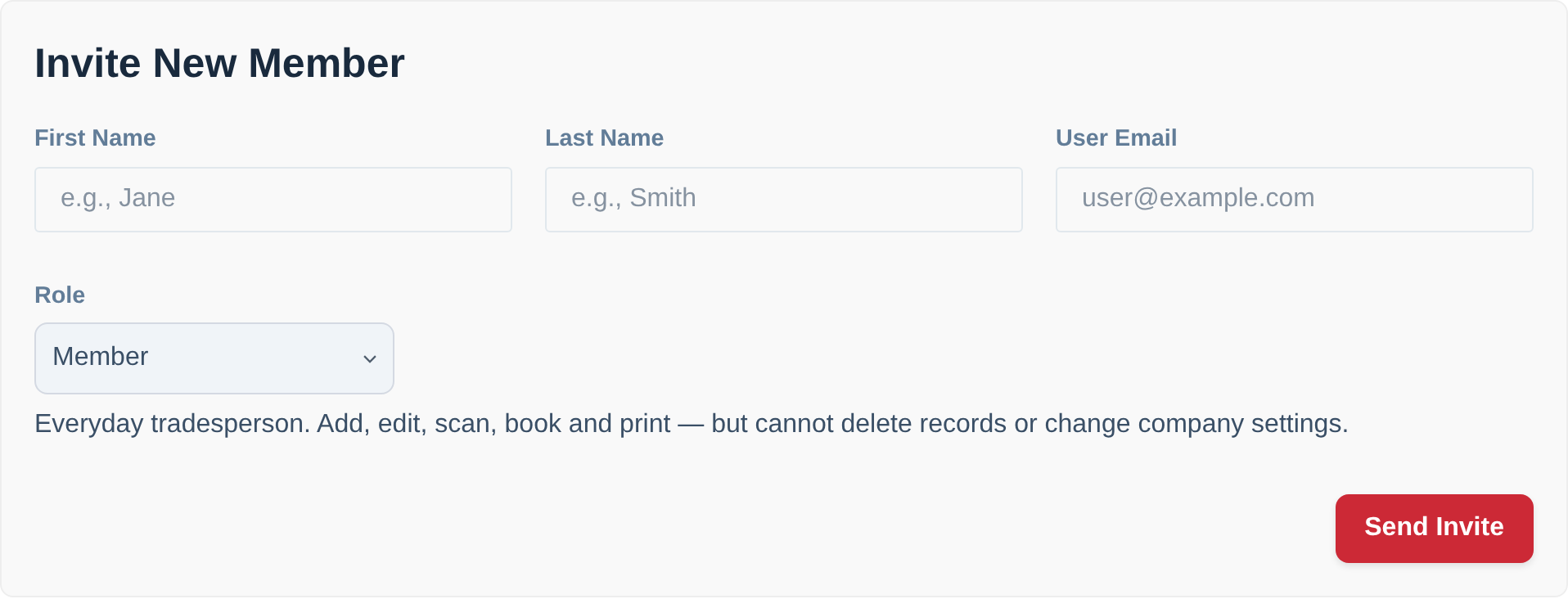
2. Fill in the Details
In the “Invite New Member” form at the top of the page, enter your team member’s:
- First Name
- Last Name
- Email Address
3. Choose their Role
Pick a role from the dropdown — Admin, Member, Scanner or Viewer. A one-line description of what that role can do appears underneath, so you can check before you send.
- Member is the right choice for most people. It covers all the day-to-day work (adding, editing, scanning, booking, printing) without letting them delete records or change your company settings.
- Scanner suits a labourer, an apprentice or a subcontractor who only needs to scan kit in and out, run stocktakes and flag faults. They can’t add, edit or delete anything.
- Viewer is completely read-only — for a client or an insurer who needs to see the kit and change nothing.
- Save Admin for the people actually running the operation.
4. Click “Send Invite”
That’s it! An invitation email will be sent to the address you provided.
What Your Team Member Will See
Your team member will receive a branded email inviting them to join your company on Asset Giant.
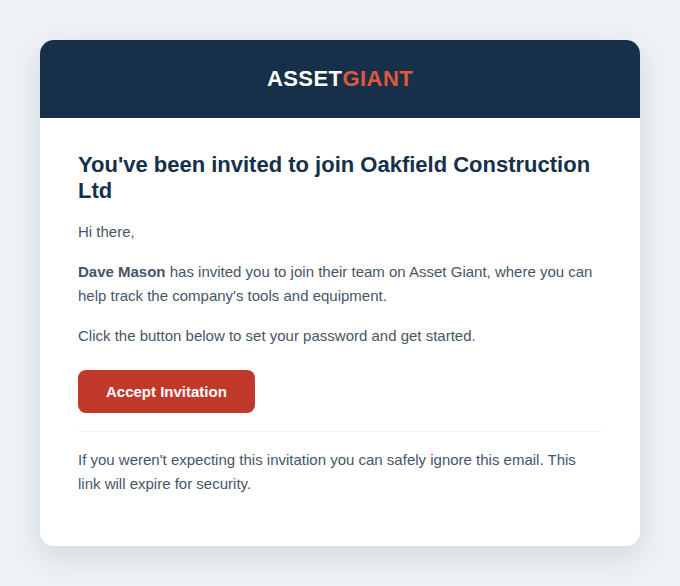
The email will contain a unique link for them to set their password. Once they have set their password, they can log in and will have immediate access to your company’s inventory, at the level their role allows.
You can change anyone’s role later from the same screen, so there’s no need to agonise over it now — see Managing Your Team Members and Roles.
For more information on roles, see User Roles: Owner, Admin, Member, Scanner and Viewer.