
“Just get me another one of those” falls apart the moment six similar models exist and nobody recorded which you had. Recording the manufacturer, model and serial number gives every item a precise identity — the difference between “a yellow drill” and “a DeWalt DCD796 with this exact serial” that matters every time you re-order, claim or report.
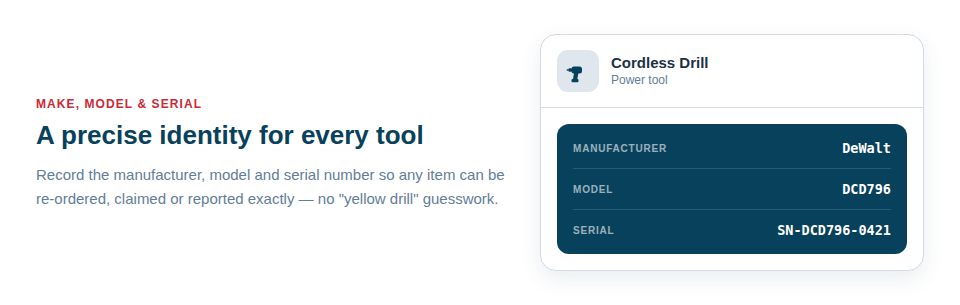
Precise identification, every time you need it
These three details quietly underpin a lot of important moments:
- Manufacturer and model make re-orders and like-for-like replacements exact, with no guesswork and no wrong deliveries.
- The serial number is your proof of ownership — the single most useful piece of information for a police report or an insurance claim after a theft.
- Together they let manufacturers and suppliers identify the item instantly when you call about parts, servicing or a warranty.
There’s a further benefit: supplying a make and model gives Asset Giant’s AI a strong head start, letting it fill in the remaining specifications for you. That’s covered under Using AI to Fill in Asset Details.
Tidy, consistent records across your fleet
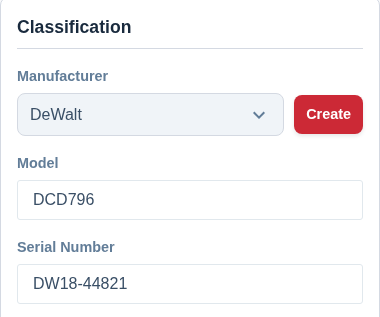
Manufacturers are stored as a reusable list rather than free text, which means “DeWalt” is always spelled and capitalised the same way. That consistency is what makes filtering reliable — when you ask to see everything by one brand, you get all of it, not just the entries that happened to be typed identically.
In day-to-day use this looks like:
- Recording make, model and serial when you add an item (or letting the AI suggest the make and model from a photo).
- Re-ordering or claiming with confidence, because the exact item is on record.
- Filtering your inventory by manufacturer to compare, service or report on a whole brand at once.
The brand list is yours to keep tidy
Brands build up as you work — typed on an asset, brought in by an import, or accepted from an AI suggestion. Settings → Manufacturers is where that list is kept in order:
- Rename a brand and every asset that uses it shows the new name straight away, with no re-editing and nothing left sorting under the old spelling.
- Put the brands you buy from most at the top, by dragging a row, using the ▲ and ▼ buttons on a phone, or sorting the whole list A–Z or oldest-first in one press. That order is what the Add Asset form and every manufacturer filter use, so the brand you reach for is the one in front of you.
- Remove a brand you no longer carry. The assets are kept — they simply stop having a manufacturer — and you are told how many will be affected before anything happens.
For the step-by-step, see Managing Your Manufacturer List.
Best Practice: Photograph the rating plate or serial label as you add the item. It captures the serial number accurately and gives you a permanent visual backup if the physical label later wears off.
For more, see Record a Serial Number for Insurance.