
Start Your Free Plan & Organise Your Preps
The Chaos of a Last-Minute Prep
It’s the morning of a big shoot, and the warehouse is a mess of open flight cases. A junior technician is trying to build a camera package from a crumpled paper list. He asks, "Is the 70-200mm lens back from that other job yet?" No one knows for sure.
This 'prep-day panic' is a silent profit killer. It leads directly to:
- Costly Delays: The crew leaves late because they spent an hour hunting for a specific battery plate or adapter.
- Wrong Gear on Site: A vital piece of kit is forgotten, forcing an expensive emergency rental or, even worse, a compromise on the client's vision.
- Double-Booked Equipment: Two project managers accidentally allocate the same high-value item to different jobs, causing a conflict that could have been easily avoided.
- Team Frustration: Your skilled crew wastes their valuable time on logistics puzzles instead of focusing on their creative and technical roles.
How to Build Perfect Prep Lists, Every Time
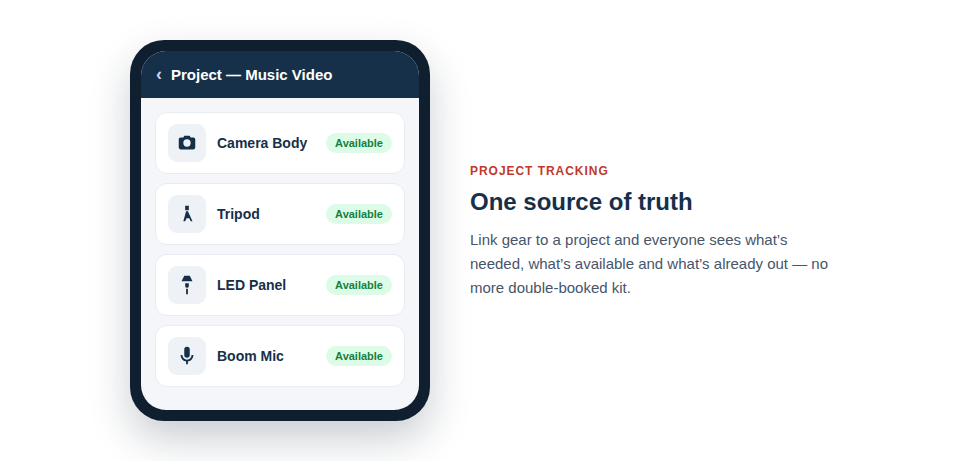
Asset Giant’s project-based tracking transforms your prep process from chaotic to controlled. It gives you a single source of truth for what gear is needed, what's available, and where it's going.
Here’s how you solve prep-day panic forever:
- Create a New Project: In the app, set up your next event or shoot as a 'Project'. Give it a name, date, and location.
- Build Your Kit List: Browse your complete, searchable inventory and add the required assets to the project. The app instantly shows you the real-time availability of each item. No more guesswork.
- Assign to the Crew: Assign the project to your lead technician. They'll get a clear, digital prep list on their phone, showing them exactly what to pull from the shelves.
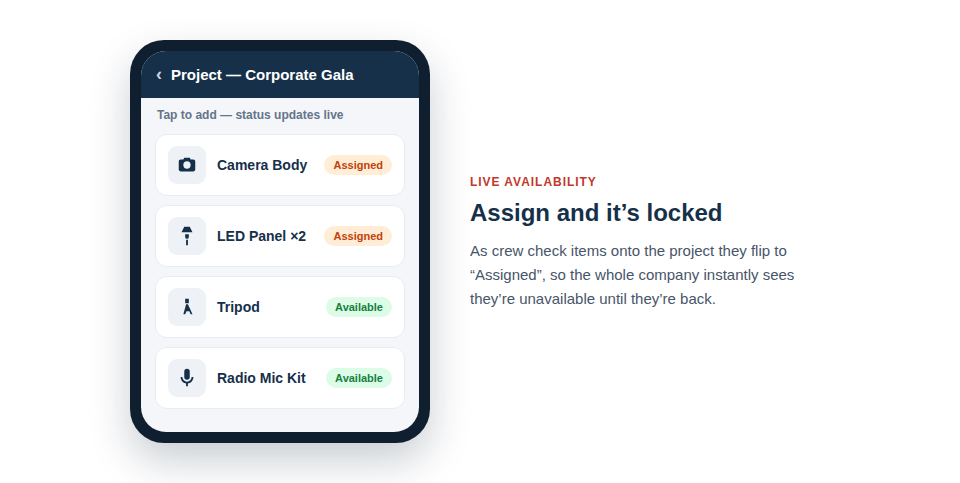
- Check It Out: As the crew preps the gear, they scan each item. This automatically links the asset to the project, updating its status to 'On Job'. Now, everyone in the company can see that this item is unavailable until it's checked back in.
The Bottom-Line Benefits
- 100% Prep Accuracy: Ensure the right gear is packed for every single job, eliminating on-site surprises.
- End Double-Booking: Get a clear, company-wide view of which assets are available and which are already allocated.
- Faster Prep Times: Your crew can work faster and more efficiently with a clear, digital list they can access on their phones.
- Professional Project Management: Impress clients and empower your team with a streamlined, organized, and repeatable workflow.
Flawless Prep is Just One Piece of the Puzzle
Once your gear is correctly prepped and assigned, Asset Giant continues to help you manage it throughout its lifecycle—from checking it out at the venue to assigning it to specific team members.
[help_link slug="creating-and-managing-projects"]
See all the ways Asset Giant helps Media & Events crews
Ready to Streamline Your Warehouse?
Stop wasting time and money with disorganized prep days. Sign up for the Solo Trader plan and see how project-based tracking can transform your workflow. It's free forever for one user and up to 50 assets.
