
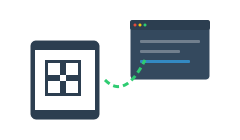
Move beyond internal tracking and start providing a premium service to your customers. Public QR codes allow you to set a custom web URL for any asset, turning every piece of equipment into a direct line to your business.
Why it matters to your business
- Instant Service Requests: Place a QR code on a machine or installation. When it needs maintenance, the client scans it to send you a direct request.
- Digital Documentation: Link codes directly to PDF manuals or training videos, reducing support calls and eliminating paper clutter.
- Customer Retention: Make it easier for clients to reach you than your competitors. Your contact info is right where the gear is.
How it works
- Generate Public QR: Select an asset and toggle it to “Public” mode in the settings.
- Set the Destination: Enter the URL for your website, a Google Form, or a dedicated support portal.
- Apply the Sticker: Once scanned by a client’s smartphone, they are redirected instantly to your chosen page.
[ Illustration Required: A user scanning a QR code on a machine which opens a 'Request Repair' form on their phone. ]
Pro Tip: Set the URL to a video tutorial to help your clients solve common issues without dispatching a technician.