
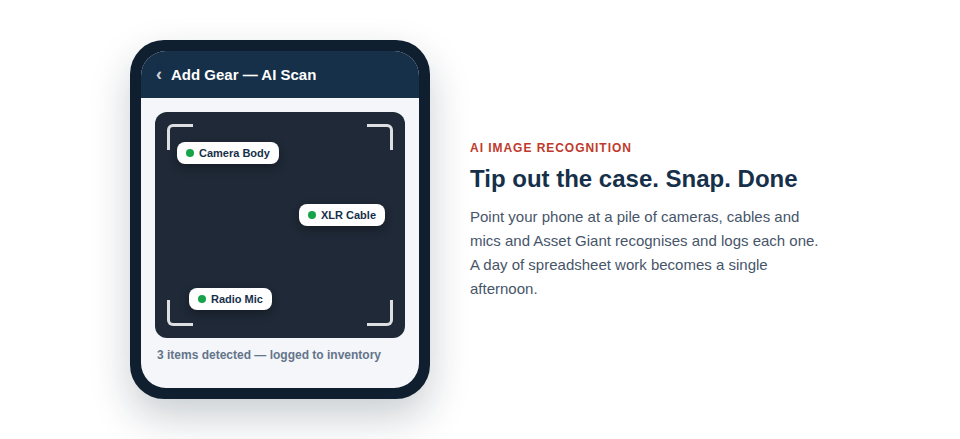
Join in-the-know Production Crews who track their assets with Asset Giant. Our "Magic Moment" is simple: use your phone's camera to automatically create a comprehensive inventory, saving you hours of tedious spreadsheet work and thousands in lost equipment.
Start Your Free Plan (No Credit Card)
Sound Familiar?
You’ve just wrapped a 14-hour event day. The truck is loaded, but back at the warehouse, you discover a specific audio interface is missing. Was it left on-site? Did it get packed in the wrong case? Is it gone for good?
Every production manager knows that sinking feeling. It leads to:
- Frantic calls to the venue manager at midnight, hoping your gear is still there.
- Wasting the first hour of the next setup arguing over who had the right adapter last.
- Sending a junior tech out with the wrong kit, causing expensive delays and client frustration.
- Discovering a dead battery or faulty cable right before a critical moment because it wasn't logged correctly.
- Losing track of which assets are yours, which are dry-hired, and which are out for repair.
Go from Chaotic Case to Full Inventory in Minutes
Forget spending days manually typing serial numbers into a spreadsheet. Asset Giant is the game-changer for event production.
Just tip your flight case out, snap a photo, and let our AI do the work.
Our system instantly recognizes cameras, lenses, lighting, audio gear, and even cables. It identifies them, logs them in your inventory, and makes them fully trackable from your phone. What used to take a full day now takes a single afternoon.
Never Leave Expensive Gear Behind Again
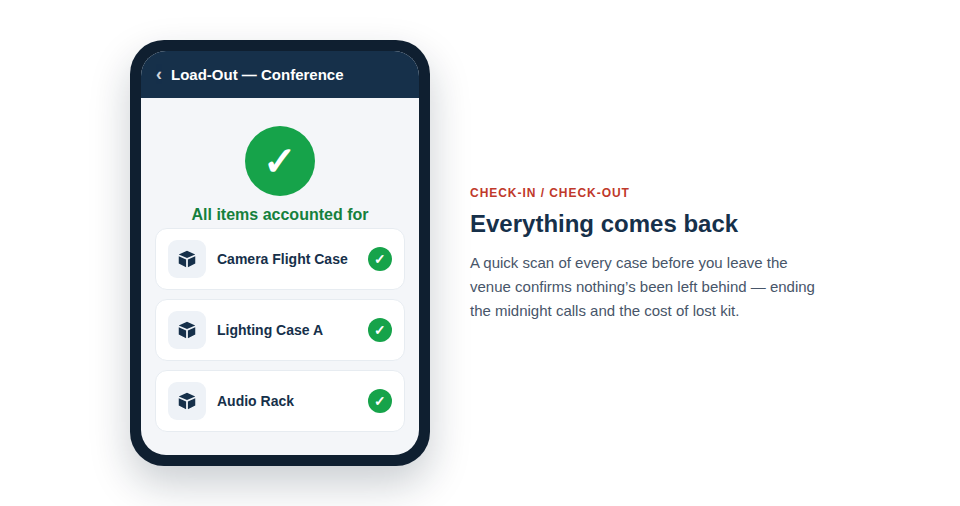 With robust check-in/check-out, you can be certain that everything you took to a job comes back. A quick scan of your cases before leaving the venue instantly flags anything that’s missing. End the anxiety of lost equipment and stop profit leakage from forgotten or stolen kit.
Find out more about Check-in/Check-out
Eliminate 'Prep-Day Panic'
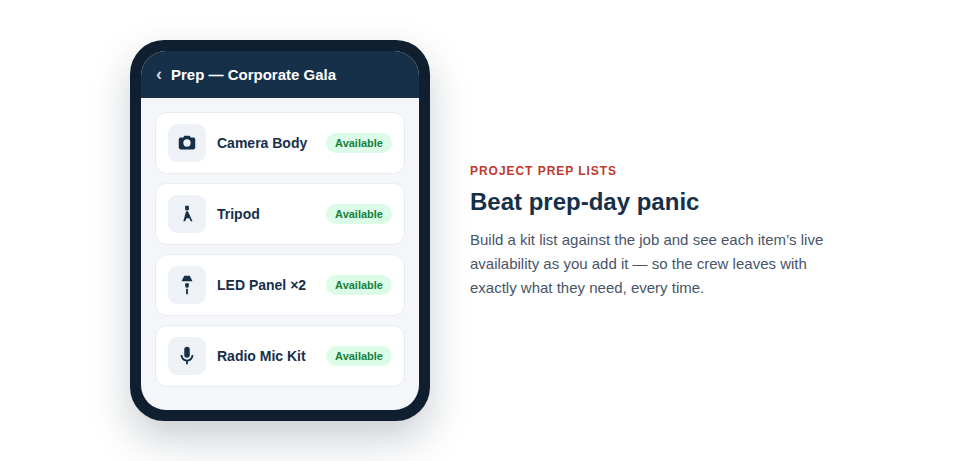 Know what gear is available, what's out for repair, and what's already allocated to another job—all in one place. Link assets to specific projects to build perfect prep lists every time. When your crew arrives, they’ll have a clear, scannable list of exactly what to pack, ensuring nothing gets missed.
Find out more about Project-Based Tracking
Make Every Team Member Accountable
 Assign gear to specific crew members with a quick scan. When an item is handed over, a new scan updates its status, creating a complete, unbroken chain of custody. End the blame game and know exactly who had that microphone or lens last.
Find out more about Team Accountability
Simplify Client & Insurance Reports in Seconds
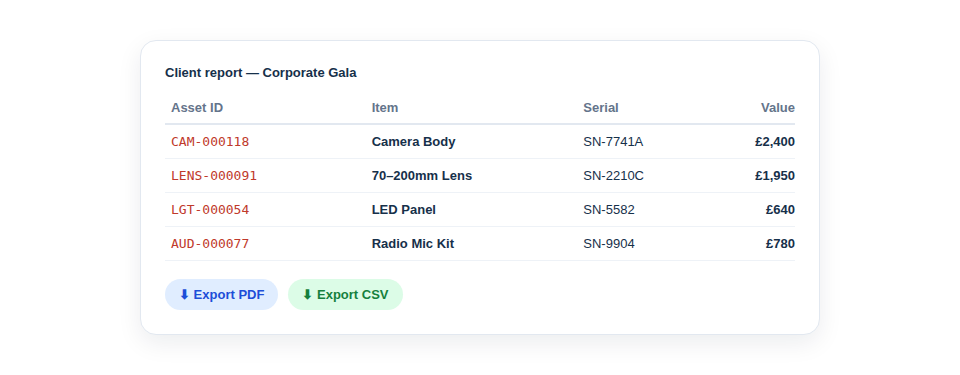 After a job, don't waste hours manually compiling reports. Export a detailed list of all equipment used for a specific client or project in just a few clicks. This makes client billing, insurance claims, and end-of-year asset depreciation reports effortless.
How It Works in 3 Simple Steps
- Snap a Photo: Empty a tool bag or flight case and take a picture with the Asset Giant app.
- Let AI Log It: Our AI automatically identifies, categorises, and lists every item.
- Track Everything: Assign items to staff, projects, or locations. See where everything is, 24/7, right from your phone.
Get Started for Free. Seriously.
Stop letting lost gear eat into your profits. Start tracking your assets the smart way.
The Solo Trader plan gives you access for 1 user and lets you track up to 50 assets, completely free, forever. It's the perfect way to see the power of Asset Giant for yourself. No risk, no credit card required.
