
A good tool checklist app turns the most expensive five minutes of your day into the cheapest. A missing SDS drill that strands a fitter on site, a flight case that lands at a venue without its clamps, a torque wrench nobody can find at handover. Every one of those starts the same way: kit was loaded from memory, and memory had an off day. The cost is never just the tool. It is the wasted travel, the idle crew, the apology to the client, and the slow drip of trust when it keeps happening.
Lists fix that. In Asset Giant you build a list once, then reuse it forever as a tick-off checklist before you leave and after you pack down. The same asset can sit on as many lists as you like, so a single impact driver can belong to your van load-out, your first-fix kit and a specific job’s gear at the same time.
Build a reusable list once
A list in Asset Giant is just a named group of assets. Think of it as a kit: a van load-out, a first-fix toolbox, a travelling flight case, or a tool-box-talk safety list. Building one takes a few minutes and pays you back on every job after.
To create a list, give it a clear name and add the assets that belong in it. You can pull items in by scanning their QR labels, searching by name, or browsing your categories and folders. Because an asset can live on many lists at once, you never have to choose between “my van kit” and “this job’s kit” — the drill belongs to both.
Good lists to build first:
- Van load-out — everything that should always be in a given vehicle.
- Job or trade kit — first-fix, second-fix, snagging, a specific contract’s gear.
- Travelling kit — a flight case or pelican case packed for a shoot or event.
- Tool-box-talk list — the items a safety briefing needs to hand round.
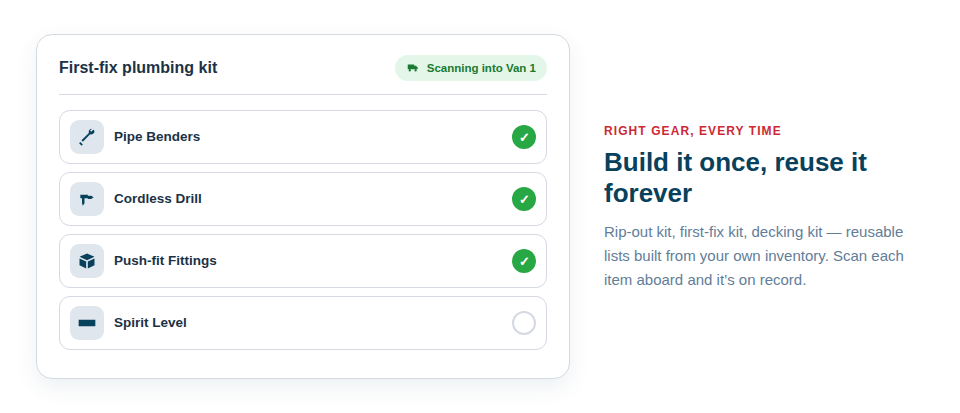
Use the list as a checklist
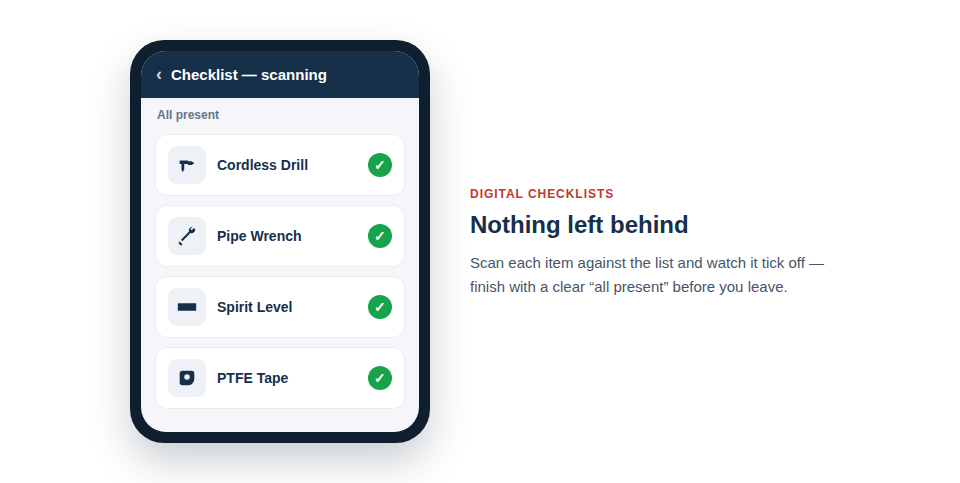
This is where lists earn their keep. Open a list on your phone and you have a live checklist of exactly what should be present. Walk the van or the case, scan or tick each item, and the gaps show themselves. Nothing relies on remembering — the list remembers for you.
The same checklist works in both directions:
- Load-out before a job. Tick every item in as it goes on the van. If something is checked out elsewhere, missing, or still on charge, you know before you turn the key — not when you arrive.
- Pack-down after. Run the same list in reverse. Anything you can’t tick is a tool you’d otherwise have left on site, and now you can go back for it while you’re still there.
Pair this with check in/out and your activity history shows who took what and when, so a missing item is a question with an answer rather than a mystery.
A builder’s van load-out
A jobbing builder keeps a “Transit – Main Van” list: SDS drill, impact driver, two batteries, a multi-tool, levels, a laser, hand tools and the consumables tray. Each morning the apprentice opens the list, walks the van, and ticks items off. The laser was loaned to another crew yesterday and is checked out, so it flags straight away. Five minutes at the kerb saves a forty-minute round trip later.
An events crew’s flight-case pack list
A camera op packs a “Shoot A – Flight Case” list before heading to a venue: camera bodies, lenses, batteries, a matte box, clamps, cables and the radio kit. On arrival, the same list confirms the case landed complete. At wrap, the pack-down checklist makes sure nothing stays behind in a dark loading bay — the most expensive place to leave a lens.
Print or share the checklist PDF
When you need the list off the screen and on paper — a clipboard at the gate, a record for the client, a sheet for a sub-contractor — produce a checklist PDF report straight from the list. It’s a clean, tickable document of every item in the kit, ready to print or send. Handy for tool-box talks, handovers, and anyone who’d rather sign a sheet than tap a phone.
Plan ahead with the calendar
Lists and the booking calendar work hand in hand. Schedule a kit for a job, then load it out against its list on the day so the right gear leaves with the right crew. See how to schedule tools on the calendar for the booking side, and if your van isn’t catalogued yet, build your van inventory in an afternoon first so the items are there to add.
You don’t need a big setup to start. Build one list today — your main van or your most-used kit — and run it as a checklist on the next job. You can do all of this on the Free Forever plan, and the full feature set is there when you’re ready to grow. Stop loading from memory, and let the list do the remembering.