
Every trades business loses time and money to the same nagging questions: where is that tool, did we leave it on the last job, and did we end up buying two because nobody could find the first one? A proper tool inventory app fixes all of that, but most people put it off because they imagine days of typing make and model numbers into a spreadsheet. It does not have to be that way.
The truth is you can get your whole van and a wall of workshop shelves catalogued in a single quiet afternoon. You point your phone, let the AI do the heavy lifting, tidy things into categories, print a sheet of QR labels, and you are done. By teatime you have a living record of your kit that you can search, scan and trust.
Why a tool inventory app pays for itself by teatime
The cost of not knowing what you own is hidden but real. It is the second cordless drill bought because the first vanished, the half-hour spent rummaging before a job, the kit that quietly walks off site and is never chased. A clear inventory ends the guesswork. Once every item is logged with a photo and a scannable label, “where’s that tool” becomes a five-second search instead of a phone call.
How the afternoon actually goes
Here is the realistic running order for a builder or electrician doing the back of the van first, then the workshop shelves.
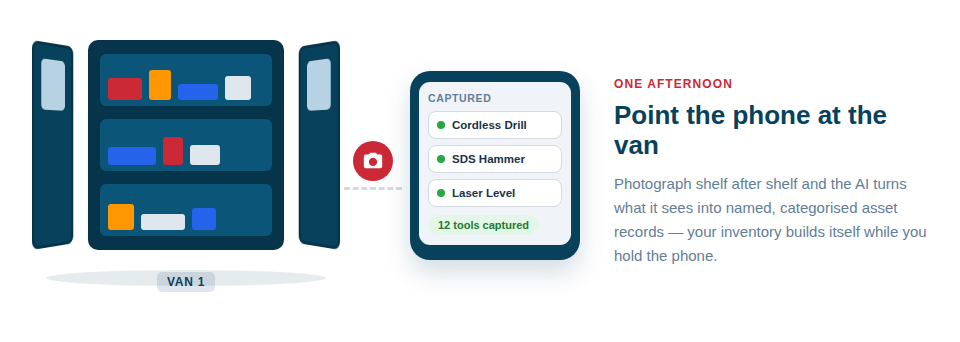
- Open the van and work shelf by shelf. Take clear photos of your tools as you go. The AI catalogues each item and suggests sensible details such as the type of tool and likely manufacturer.
- Confirm what the AI suggests. The AI does the typing; you stay in charge. Glance at each suggestion, fix anything it has got wrong, and accept it. You are always the one who confirms — it speeds you up, it does not decide for you.
- Drop items into categories and folders. Group your power tools, hand tools, consumables and test equipment so the list stays tidy and easy to scan later.
- Move to the workshop shelves and repeat. Same routine, same speed. Heavier or higher-value kit can get a photo, notes and the price you paid so you have a record for insurance.
- Print your QR labels. Add the items to the print queue, print a sheet of your own QR labels on a standard printer, and stick one on each tool or storage box.
Photos do most of the work
The faster you want to go, the more it pays to take a decent picture. A clear, well-lit shot of the tool and any visible branding gives the AI the best chance of suggesting the right details first time, so you spend the afternoon tapping confirm rather than typing. We have a short guide on getting this right in how to take the best photos for AI identification.
Labels that make the inventory useful tomorrow
Cataloguing is only half the win. The QR labels are what keep the inventory accurate after today. From then on you can scan a label to pull up a tool’s record, check it in or out, or move it between the van, the workshop and a site — all from your phone. That is how the inventory stays true to life instead of going stale the moment you close the laptop.
From a tidy list to a working system
Once your kit is in, the same catalogue powers the rest of the day-to-day. You can build lists and kits — for example a “first fix” or “second fix” bundle — and use them as checklists so nothing gets left behind, with a checklist PDF to take to site. There is more on that in building and using lists as checklists. You can also book kit out on a calendar to avoid double-booking, and you keep a full activity history of who had what and when.
| Before Asset Giant | After your afternoon |
|---|---|
| “Where’s that tool?” phone calls | A five-second search on your phone |
| Buying duplicates by accident | One clear catalogue you can check first |
| Kit walking off site unnoticed | Scan-based check in and out with a record |
| No proof of what you own | Photos, notes and values for every item |
The whole point is how little it costs you to start. You do not need to clear a week or learn complicated software — you need one quiet afternoon, your phone and a printer. You can begin for nothing on our Free Forever plan, no card required, and have a real tool inventory by the time the kettle goes on.
See how the AI cataloguing works in more detail on our build your inventory with AI page, or start free today and get the back of the van done this afternoon.