
Sortly deserves its reputation — it helped popularise the idea that a small business could track inventory from a phone instead of a spreadsheet. But if you’ve outgrown its free tier, or priced up what the features you actually need would cost per month, you’re probably here because you searched for an alternative. Fair enough. Here’s an honest look at what to compare, and where Asset Giant fits.
What to check before you switch to any inventory app
Whatever tool you’re considering, the comparison comes down to the same handful of questions:
– What does the free plan actually include? Many apps cap the free tier so tightly (a handful of items, one user, no labels) that it’s really a trial. Check the numbers, not the headline.
– Are QR labels and scanning included, or an upgrade? If you have to pay extra to print and scan labels, the “free” plan can’t do the one job that makes tracking stick.
– Can you get your data out? Look for CSV/PDF export on every tier. If exporting is locked behind a paid plan, your inventory is a hostage.
– Is it usable one-handed on site? A tool built for warehouse desktops feels very different up a ladder. Test on your phone before you commit.
Where Asset Giant is deliberately different
Asset Giant was built for trades and field teams first, and the free plan is a working plan, not a teaser:
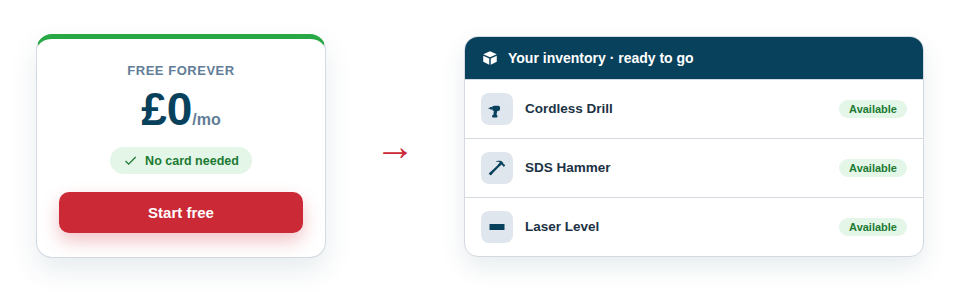
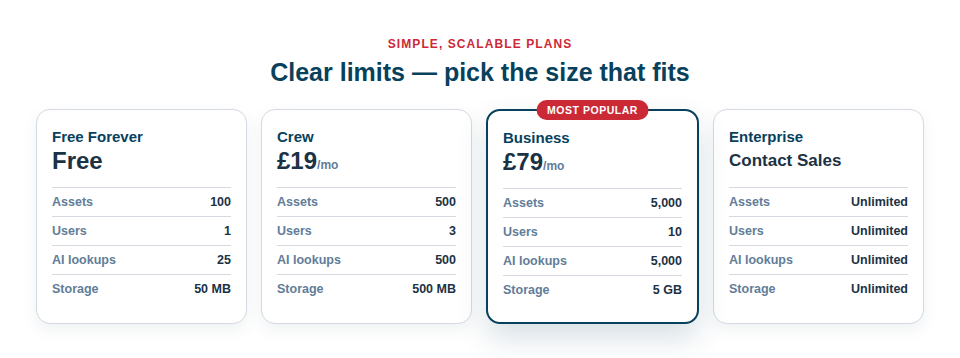
– Free Forever actually means forever. No card, no time limit, and it includes the core workflow end to end: asset records, QR Code Asset Tags & Labels you print yourself on standard label sheets, and the phone scanner. See the pricing page for the exact numbers.
– AI cataloguing is included. Snap a photo and the AI suggests the name, make, model and category — the free plan carries a monthly AI allowance, so building your first inventory doesn’t cost anything either. There’s a whole guide to it: AI Asset Identification from a Photo.
– Your data is never held hostage. Go over a limit and nothing is deleted — older items pause until you make room or upgrade, and export works on every plan.
Making the move without losing a weekend
Switching inventory apps sounds painful, but in practice it’s an afternoon: export your existing list to CSV, then rebuild in Asset Giant using AI photo capture for anything that never made it into the old system (that’s usually half the van). The step-by-step approach in our Build Your Asset Inventory guide applies whether you’re coming from Sortly, a spreadsheet, or a notebook in the glovebox.
If you want the detailed feature-by-feature view against Sortly, EZOfficeInventory, Asset Panda and itemit, it’s on our comparison page. Or just create a free account and see how it feels with your own kit — no card, nothing to cancel.