
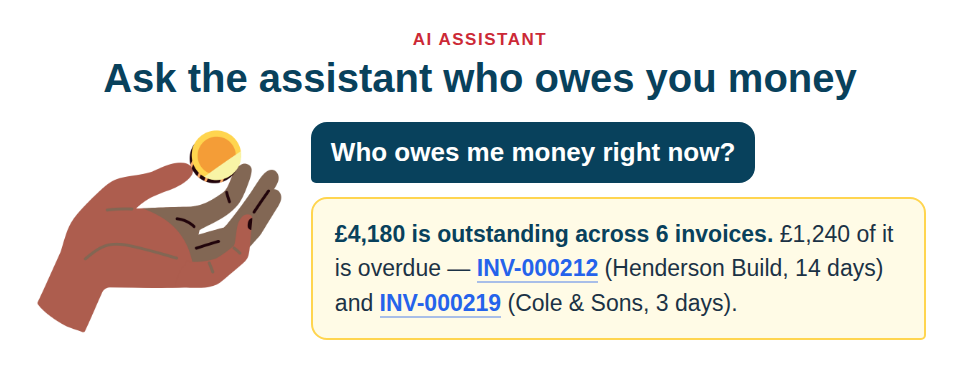
The AI inventory assistant on your Asset Giant dashboard knows what you have invoiced and what you are owed. Ask it who owes you money, what is out next month, or whether that laser level is free on the eleventh, and it answers in plain English — no report to build, no three screens to cross-check.
Money questions
Ask it who owes you what, and it will tell you: outstanding totals, what is overdue and by how long, per-client balances, your documents by type or status or period, what has ended and is still uninvoiced, payments received in a period, and your tax position by rate.
Its answers and your Aged owing report always agree. Three rules hold in every reply:
- A credit note reduces what is owed and is never income.
- A draft is not money. Drafts are counted and declared separately, never folded into a total.
- “Raised in a period” and “owed right now” are labelled as different figures, because merging them produces a number nobody can see is wrong.
Payments are counted by when the money landed, not when somebody typed it in. And an account with no documents is told exactly that, rather than handed a confident total of £0.00.
Booking questions
Ask “what’s booked in November” and it tells you, across the whole month. Ask “what is unavailable” and you get a different, narrower answer — only what still reserves capacity — so a booking that has already finished is visible to one question and correctly absent from the other.
A kit booking comes back as one entry.
You can also filter on overdue, starting, kind, status and subject: “what’s overdue back”, “what starts next week”, “what has Tom got out”.
One item, one answer
Ask about a single asset and you get everything about it in one reply instead of five partial lookups stitched together — where it is, who has it, what it is booked for, its history, its rates.
Two behaviours worth knowing:
- Ambiguity is never resolved silently. Ask about “the drill” and it names all three drills rather than guessing which one you meant.
- Blank fields are declared, not omitted. If a serial number is missing it says so, rather than leaving you to assume it looked and found nothing.
Every record it names is a link
Assets, locations, projects, clients, lists, bookings and documents all come back as working links into the app, so you can go straight from the answer to the record.
Where it will still say no
It does not integrate with Xero or any other accounting package, and if you ask it to it will decline rather than improvise. It answers about your own company’s data only — every tool is hard-scoped, so there is no question you can phrase that reaches another customer’s records.
Assistant messages are metered per calendar month and reset at the start of each month. Free Forever includes 25 a month; the paid plans include considerably more, and the current figure is on the pricing page.
How to use it well
Ask the question you would ask a person. “Who owes me money?” works better than trying to guess a report name. If the answer looks wrong, ask it which invoices it counted — it will name them, and then you can check.
More on what it can do is in AI Inventory Assistant, and on keeping AI suggestions under your control in You Stay in Control of AI Suggestions.
Start free and ask your inventory a question instead of building a report.