
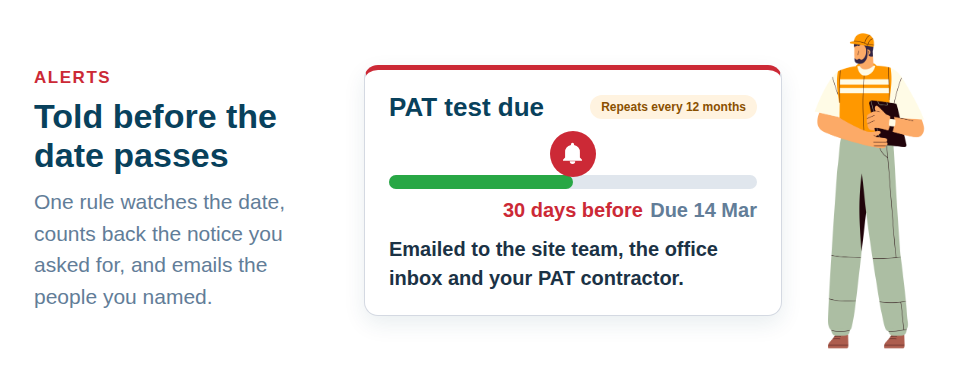
Asset Giant emails the right people before a date on your kit passes: a PAT test due, a LOLER inspection, a calibration, a warranty running out, an item due back off a job. You write the rule once and it runs by itself from then on.
A rule is six questions
The form asks them in order, and most rules are written in under a minute.
- What it watches. A date field you already keep, warranty expiry, a booking or a checked-out item due back, or stock below its reorder level.
- Which items. Everything, a filter by asset type, category, folder, location or status, or a hand-picked list. “PAT due on power tools” and “PAT due on everything” can be two rules that go to different people.
- How much notice. From 0 — only once the date has gone — up to a year ahead. Thirty days is a sound starting point for testing and certification, because it leaves room to book an engineer.
- Who hears. People on your team, the person each item is assigned to, and up to ten outside addresses: your testing contractor, the hire desk, the office inbox. Each outside address confirms once before it receives anything.
- Each item, or a summary. One email per item as it comes due, or a single daily or weekly round-up at a time you choose. Forty PAT tests due next month arrive as one list rather than forty emails.
- Your own line. A short note at the top of every email from that rule — “Book PAT testing through Sarah, ext 214”, or “Warranty claims go to accounts”.
You also choose whether each email carries the essentials — name, date, location — or every field on the item, and whether your company logo sits at the top.
Dates that come round again
A PAT test every twelve months, a LOLER inspection every six, a ladder check every fortnight: set the date to repeat and, when the work is done, press Mark as done today on the alert. The next date rolls forward on its own, counted from the date it was due, so a test done a week late does not drag the whole schedule with it.
Where the alerts show up
- By email, to the people the rule names. Anyone can switch their own alert emails off in their Personal Profile without changing what the rest of the team receives.
- In the app — a count in the menu, an Alerts page with the most urgent first, and an Attention needed panel on the dashboard. Mark an alert as seen and it moves to its own tab and stops counting for you, while staying visible to everyone else.
- On a phone, laid out for a handset, so the person on site sees the same list as the office.
Three rules worth starting with
If you would rather not begin from a blank form, the Alerts tab in Settings offers three starters, one tap each:
- Warranties expiring, thirty days ahead.
- Every date you track, so nothing you have keyed in goes unwatched while you decide what you actually want.
- Bookings due back, the day before.
Switch one on, change who is told, and refine it once you can see what lands in the inbox. A summary rule to the office plus a per-item rule to the person responsible covers most set-ups without anyone being emailed twice.
From a spreadsheet to a working reminder
If your test dates live in a spreadsheet, import it: a column of PAT dates becomes a date field on every asset, and one rule on that field covers the lot. Items added later are picked up by the same rule, so the list never has to be maintained by hand. See Import From a Spreadsheet for the import, and Custom Fields for adding the date field itself.
The same dates drive the Due within filter in your inventory — everything due in the next week, month or quarter, on any plan — which is the view to plan a testing round from.
Alerts are included from the Crew plan; every date is still recorded and filterable on Free Forever. The feature page is Alerts Before a Date Passes.
Start free and put your next inspection date somewhere it will be chased.