
Most free asset tracking software is a trial wearing a disguise. You get thirty days, or you get a plan so small that it cannot hold a single van’s worth of kit, and either way you are back at the pricing page before you have finished labelling. We built Free Forever to be a genuinely useful tool rather than a countdown, and the honest feedback was that twenty-five assets did not quite get there. So it is now 100.
What changed
The asset ceiling on Free Forever went from 25 to 100. A few weeks later the storage allowance went from 10 MB to 50 MB, because at roughly a megabyte per photographed asset the two numbers did not agree with each other — you would hit the storage wall at ten assets while the counter told you there were ninety more to go.
Nothing else moved, and that was deliberate. Free Forever is meant to be genuinely usable for one van, one store or one small crew — not a free copy of a paid plan with a smaller badge.
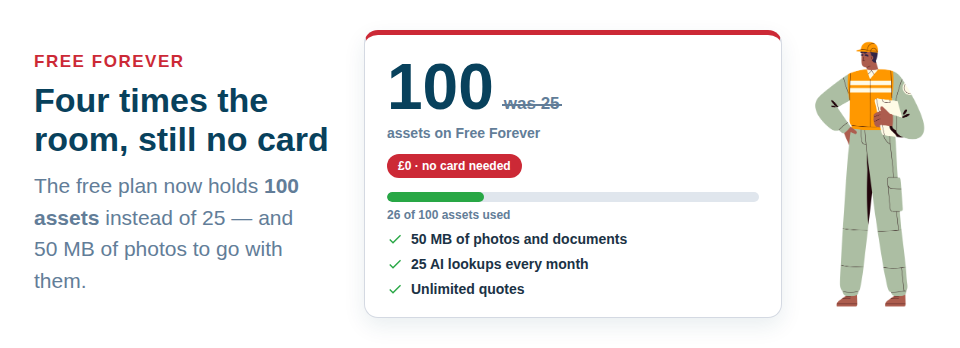
What you actually get for nothing
| Free Forever | |
|---|---|
| Assets | 100 |
| Team members | 1 |
| Photo and document storage | 50 MB |
| AI lookups per month | 25 |
| AI assistant messages per month | 25 |
| Active bookings | 10 |
| Issued invoices per month | 5 |
| Quotes and credit notes | Unlimited |
Every feature that makes the tool worth using is in there. You can catalogue kit with AI from a photo, print your own QR labels on ordinary sticker sheets, scan an asset with your phone camera on site, book items on the calendar, check things in and out, and raise a quote. No card, no trial clock, no drip of upgrade emails.
Where the limits actually bite
Being straight about this matters more than the headline number.
- One user. Free Forever is a single-person plan. The moment you want a second phone scanning kit, you need a paid plan — that is the limit most people meet first.
- Card payments are on paid plans. You can raise, send and track invoices on Free Forever and record payments as they arrive. It is the Pay now button your client taps that comes with a paid plan.
- Five issued invoices a month. Quotes and credit notes are unlimited and uncounted, because a mistake should always be correctable.
- One month of activity history. The audit trail is there, it just does not go back as far.
Nothing gets deleted when you hit a limit
This is the part people brace for, so it is worth saying plainly: going over a limit never deletes anything. Older items are paused until you upgrade or make room, and export is always available on every plan, including the free one. Your data is yours, and you can take it out as a CSV whenever you like — see Your Data Is Never Held Hostage.
If you are already past 100 assets, the paid plans start at 500 assets, and the counter in Settings → Subscription tells you exactly where you stand before anything gets in your way: Check Your Plan, Your Usage and What You Can Add.
Getting started takes an afternoon
The quickest route in is the setup wizard, then the AI: photograph a tool, let it suggest the make, model and category, confirm what is right, and move on to the next one. Most people get their first fifty assets in before the kettle has gone cold twice. Start here: How to Add Your First Asset.
There is no card to enter and nothing to cancel. Start free with 100 assets and see how far it gets you.